

Picture this: You pick up a jar of honey at the store and spot a small square code on its label. You pull out your phone and scan the product QR code, and suddenly, you see everything about where the honey comes from, who made it, and even tasty recipes you can try.
That’s the power of QR codes on packaging. It turns simple product labels into windows of information — helping brands share their story and giving customers easy access to details about what they’re buying. Whether you run a small business or manage a big brand, adding QR codes to your packaging helps you connect better with customers.
Create Custom QR Codes for Product Packaging
Start Free Trial →Is It Practical to Use QR Codes for Product Packaging?
Yes. Dynamic QR codes give you amazing control — you can change the linked content whenever you want while keeping the same code on your packages. You can print QR codes right on the package or use QR code stickers. Both options work for any budget.
Small businesses often start with stickers, while bigger companies print codes directly on their packaging. These little squares link to everything from basic product info to how-to videos, and you can see exactly how many customers scan your codes — helping you understand what information they care about most.
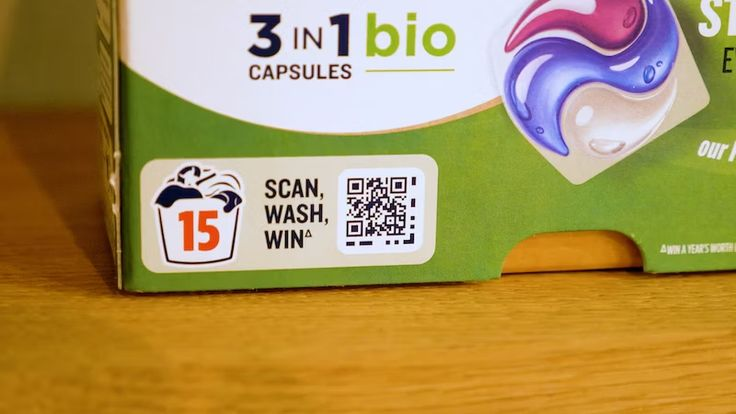
Types of Information to Include on Packaging QR Codes
A good packaging QR code gives customers information they actually need after picking up or purchasing a product:
🔒 Product Authentication
Link to a verification page so customers can confirm product authenticity. Essential for high-value items and sectors where counterfeiting is a problem.
🥗 Ingredient & Nutritional Details
Display ingredient lists, nutritional values, allergen info, sourcing details, and compliance information — keeping packaging clean while giving full transparency.
🧺 Care Instructions
Provide wash instructions, maintenance tips, and best practices for clothing, electronics, skincare, and furniture without crowding the label.
♻️ Recycling & Disposal
Share recycling instructions, component disassembly guides, safe disposal methods, and take-back programme details — sustainability made accessible.
🎁 Promotional Offers
Link to limited-time discounts, loyalty rewards, coupons, or launch offers. Perfect for driving repeat purchases and post-purchase engagement.
📖 Brand Story & Values
Share your mission, manufacturing standards, or behind-the-scenes content. Knowing who made a product and why creates a stronger emotional bond.
Benefits of Using QR Codes for Product Packaging
Share More Information
A product QR code allows you to provide far more details than a traditional label. When customers scan, they can access:
- Complete ingredient lists with sourcing details
- Nutritional facts and allergen warnings
- Material specifications and care instructions
- Manufacturing processes and quality certifications
- Step-by-step usage instructions and troubleshooting guides
- Assembly videos, maintenance tips, and product demonstrations
- Verified customer reviews, user photos, and testimonials
Creative Design Integration
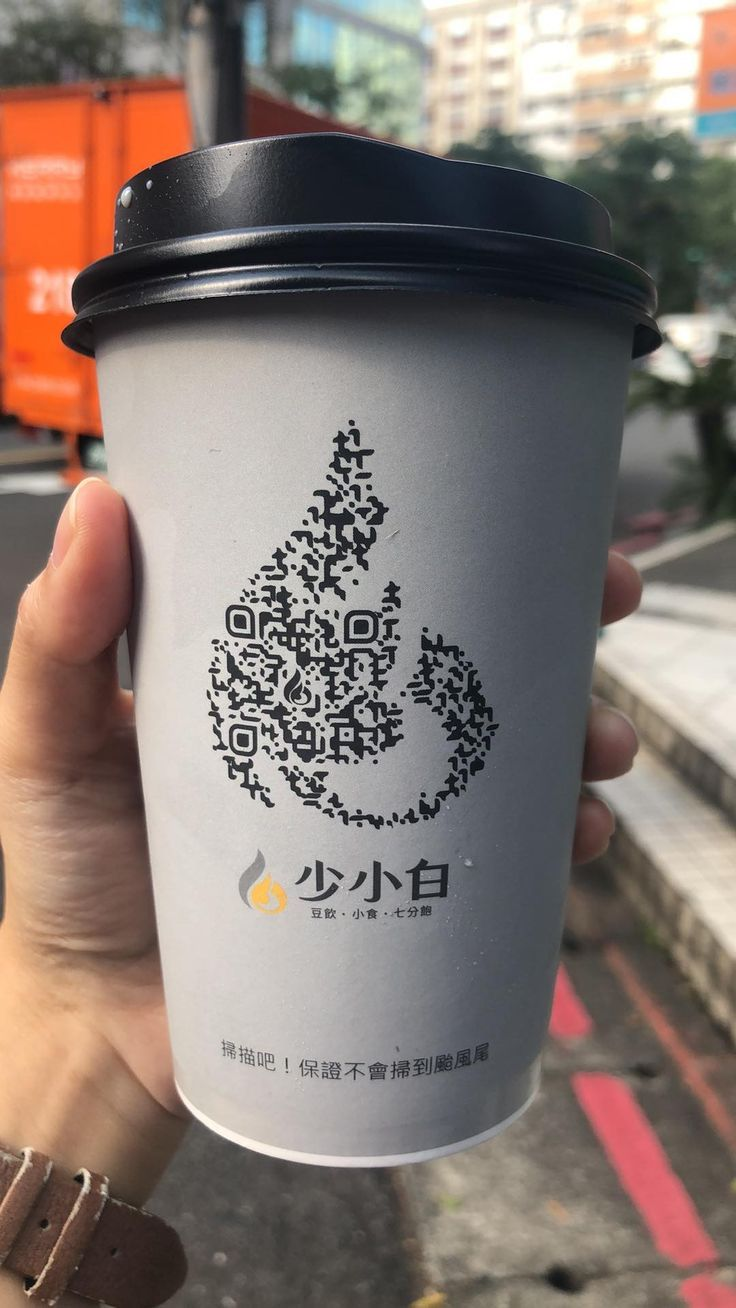
Package QR code placement can transform ordinary packaging into eye-catching displays. Beyond basic black squares, you can match brand colors, add your logo in the center, or blend codes into package artwork.
Build Customer Trust
A packaging QR code instantly proves your product’s authenticity by letting customers verify genuine items, check expiration dates, and trace product origins — including testing certificates, safety documents, and supply chain transparency. This openness builds confidence and turns curious buyers into loyal customers.
Make Packaging Interactive
QR codes for product packaging transform static boxes into engaging touchpoints. Customers can instantly access special offers, join loyalty programs, or share feedback.
Easy Content Updates
Change linked content anytime without redoing physical packaging. Simply update product information or promotional materials whenever needed.
Track Customer Behaviour
Package QR code scans provide valuable data about which information interests customers most. Use these insights to improve your product information and marketing strategy.
Industry Use Cases for Product Packaging QR Codes
Food and Beverage
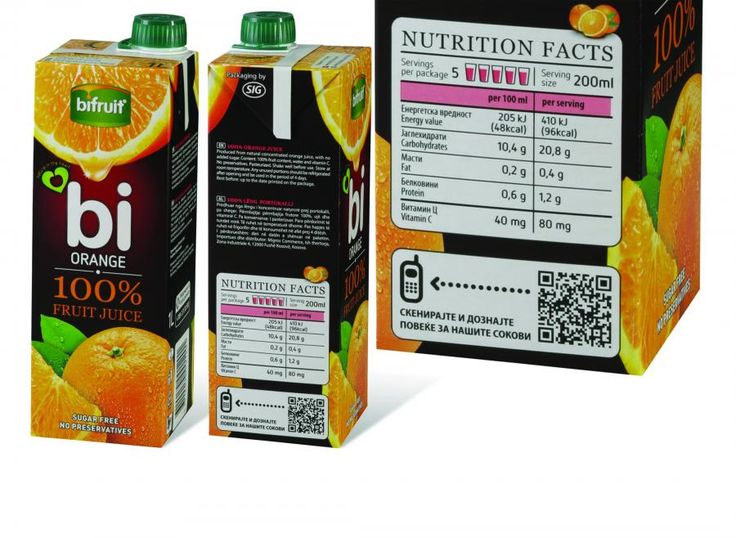
Food brands use QR codes to share recipes, nutritional values, allergens, and origin stories — especially useful for brands that want to put freshness, sourcing, and product transparency front and centre.
Beauty and Skincare
Beauty packaging links to application tutorials, skincare routines, shade guides, and virtual try-on content. A simple way to make the product feel more personalised and trustworthy — customers scan their face cream to see how each ingredient benefits their skin.
Electronics
Electronics packaging works well with QR codes because customers often need support immediately after purchase. The code leads to setup videos, digital manuals, warranty registration pages, troubleshooting help, and customer support options — replacing the struggle with tiny printed manuals.
Fashion
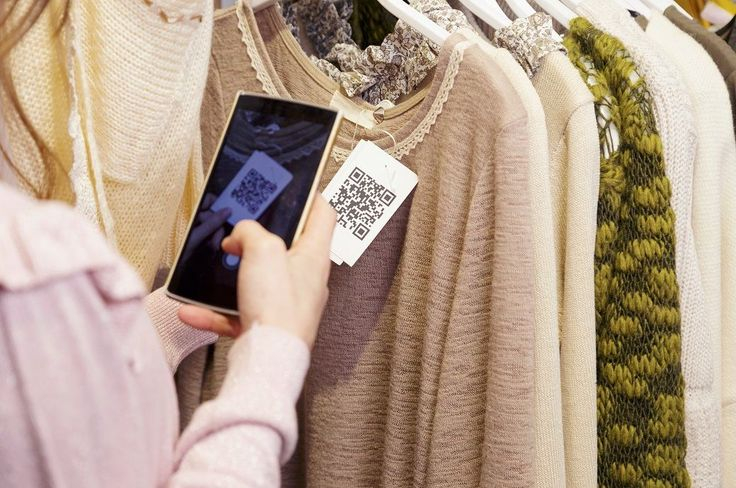
Customers scan clothing tags to see size guides, fabric details, styling ideas, care instructions, and how items look across different body types — all without cluttering the label.
Pharmaceuticals
Pharmaceutical packaging needs clarity. A QR code directs users to dosage guidance, safety instructions, side effects, drug interactions, and storage information — supporting better patient education when the printed pack has limited space.
Home Goods and Furniture
Home goods packaging links to assembly guides, product videos, room styling ideas, and care instructions. A QR code gives customers immediate setup assistance without requiring them to read an extensive manual.
How to Generate QR Codes for Product Packaging
Choose Your Platform
Sign up with mobiQode, a reliable QR code generator that offers tracking and customization features.
Select a QR Code Type
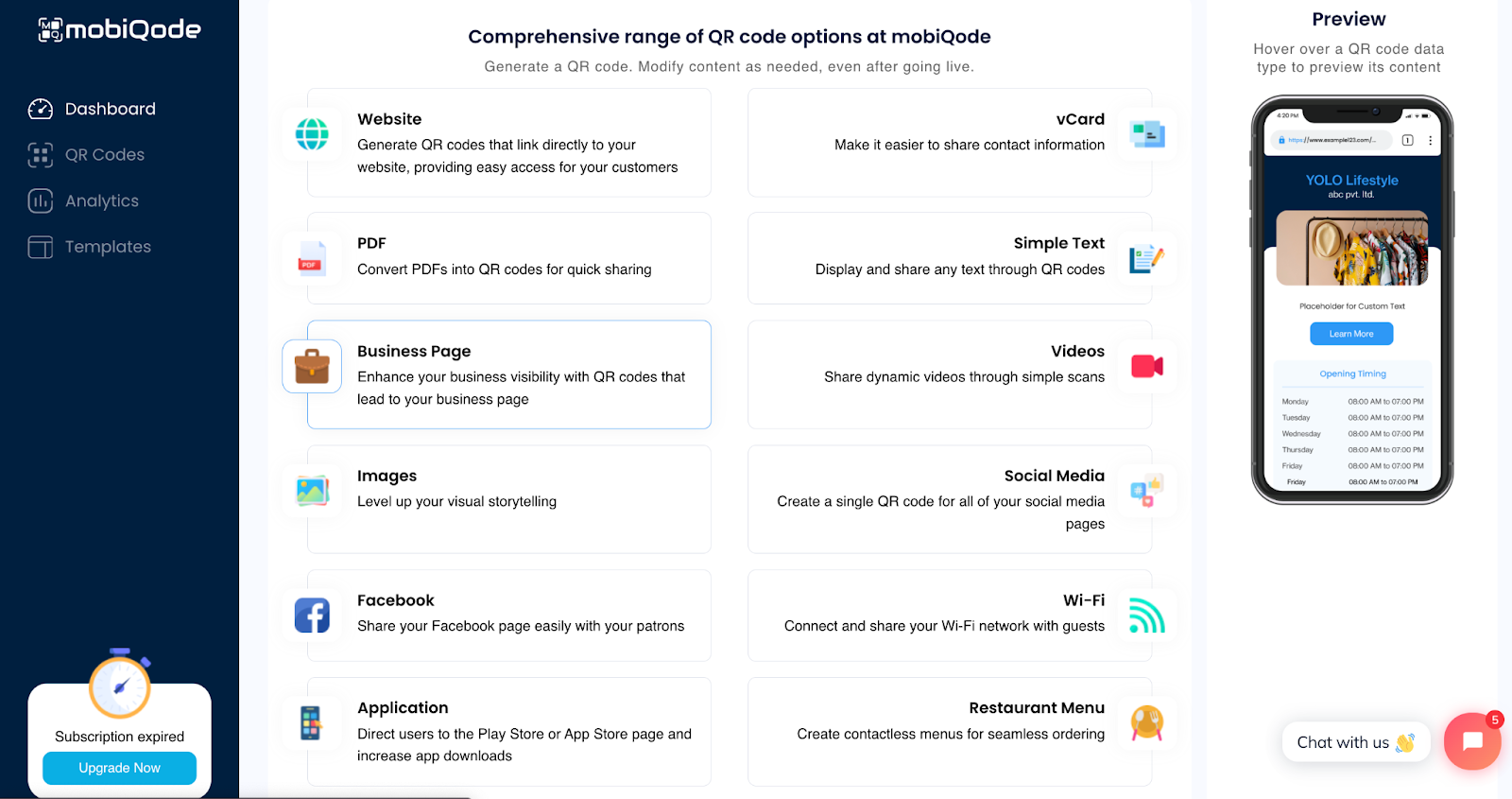
Log in to mobiQode and choose “Website URL” from the QR code type options. Enter the URL for your product information page. Alternatively, you can upload your product guide directly as a PDF.
Customize Your Design
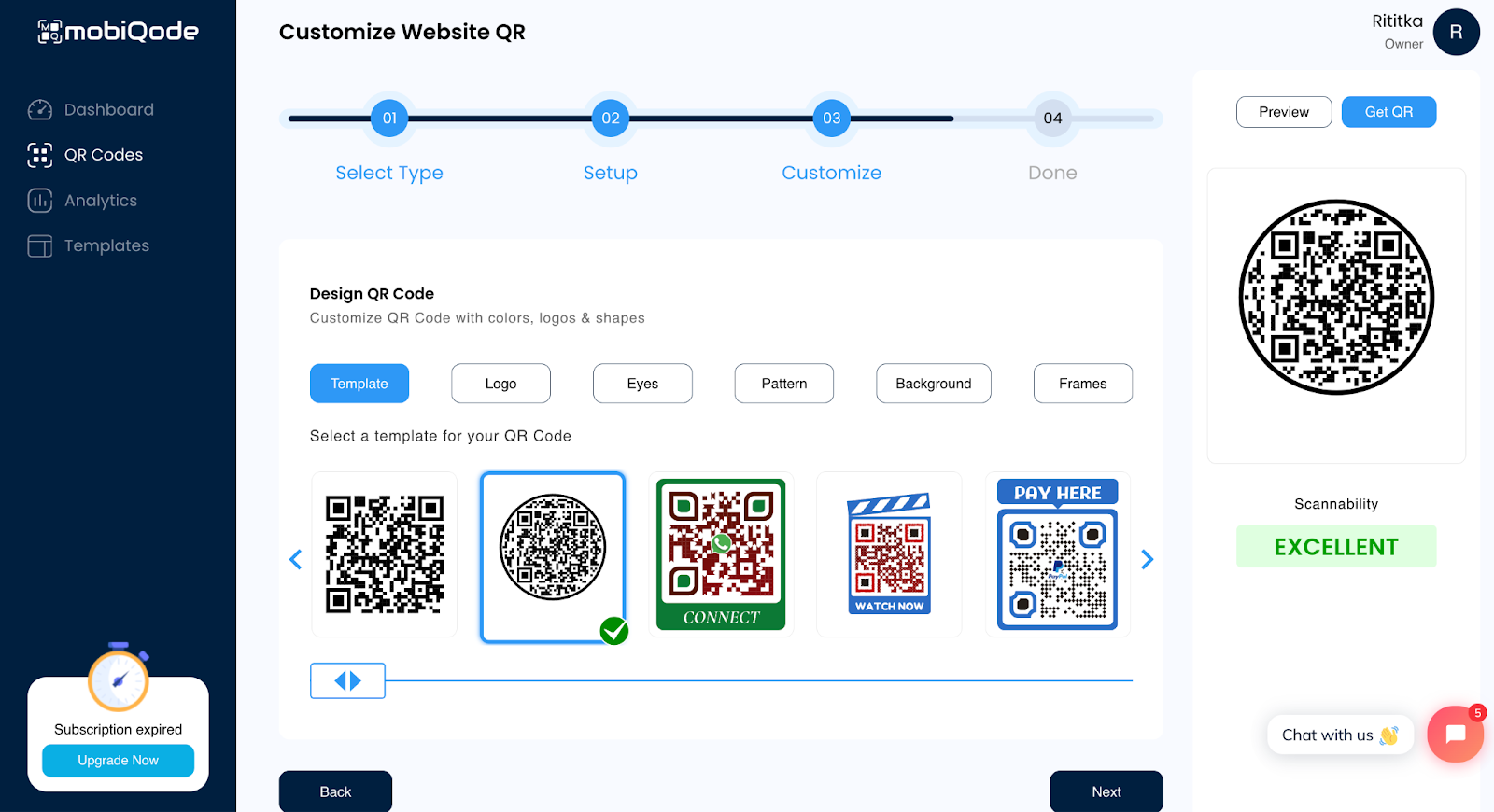
Choose from existing templates or create your code from scratch. Match the code colors to your brand palette, place your logo in the center, select a frame style that fits your packaging, and add a clear call to action above the code.
Test and Download
Test the code on multiple devices and in different lighting conditions before downloading. Once verified, download in SVG format for print-ready quality on product packaging.
Best Practices for Product Packaging QR Codes
- Add context near the code: A short line explaining what the code contains makes a measurable difference to scan rates. People tend to ignore a code that lacks any accompanying information.
- Keep the design clean: Sufficient contrast and white space ensure the code is easy to scan, even on complex packaging designs.
- Use dynamic codes: If the linked content may change — seasonal promotions, updated instructions, new certifications — dynamic codes let you update the destination without reprinting.
- Test before going to print: Scan on multiple devices and in varying lighting conditions to confirm reliability before committing to a print run.
- Size appropriately: A minimum of 1.2 × 1.2 cm — larger if the packaging has complex design elements or the scan distance may be longer.
Conclusion
If you haven’t yet added QR codes to your product packaging, now is a practical time to start. A product label has limited space, but a QR code gives customers access to everything they need — from ingredient details and care instructions to authentication, recycling guidance, and promotional offers — without cluttering the design. With mobiQode, you can create static and dynamic QR codes in minutes, customize them to match your brand, and track how customers engage with them after purchase.
Your packaging is the first physical touchpoint with your customer. A QR code turns that moment into a conversation — one that builds trust, delivers value, and keeps them coming back.
Founder, mobiQode
Create Dynamic QR Codes for Your Product Packaging
Start Free Trial →14-Day Free Trial · Plans from $5/mo · No Credit Card Required
Frequently Asked Questions
Can I put a QR code directly on product packaging?
Yes. QR codes can be printed directly on boxes, labels, pouches, bottles, cartons, and inserts. Sticker variants provide a faster and cheaper option for smaller runs or testing.
What should my packaging QR code link to?
The link should direct users to one of the following: a product page, usage instructions, an ingredient list, a video guide, a promotional offer, an authenticity verification page, or a brand story.
Can I change what the QR code links to after printing?
Yes. mobiQode’s dynamic QR code system allows you to update the destination content at any time while keeping the same printed code — no reprinting required.
What size should a QR code be on product packaging?
A minimum of 1.2 × 1.2 cm, though larger is better if the packaging has detailed design elements or the scan distance may be longer. Always test at the intended size before printing.
Can I track how many customers scanned the code?
Yes. Dynamic QR codes on mobiQode track scan count, device types, and approximate location — giving you data to measure how customers are engaging with your packaging.

