Do you want to see the pictures your guests have taken at your wedding in real time? Are you confused about how to make it easy for everyone to share pictures?
Enter: QR codes for weddings.
A place where everyone can upload their best clicks and download the pictures they want. In this article, we’ll show you how to generate QR codes for wedding pictures.
Why use QR codes for wedding pictures
Here’s why using a QR code for your wedding pictures can enhance your big day:
Instant photo uploads from guests
A QR code makes it easy for guests to contribute their own photos from your wedding. Instead of relying on a few photographers, guests can simply scan the code and instantly upload the pictures they’ve taken throughout the event. This allows you to capture multiple perspectives and candid moments that might otherwise be missed, creating a fuller, more personal photo album.
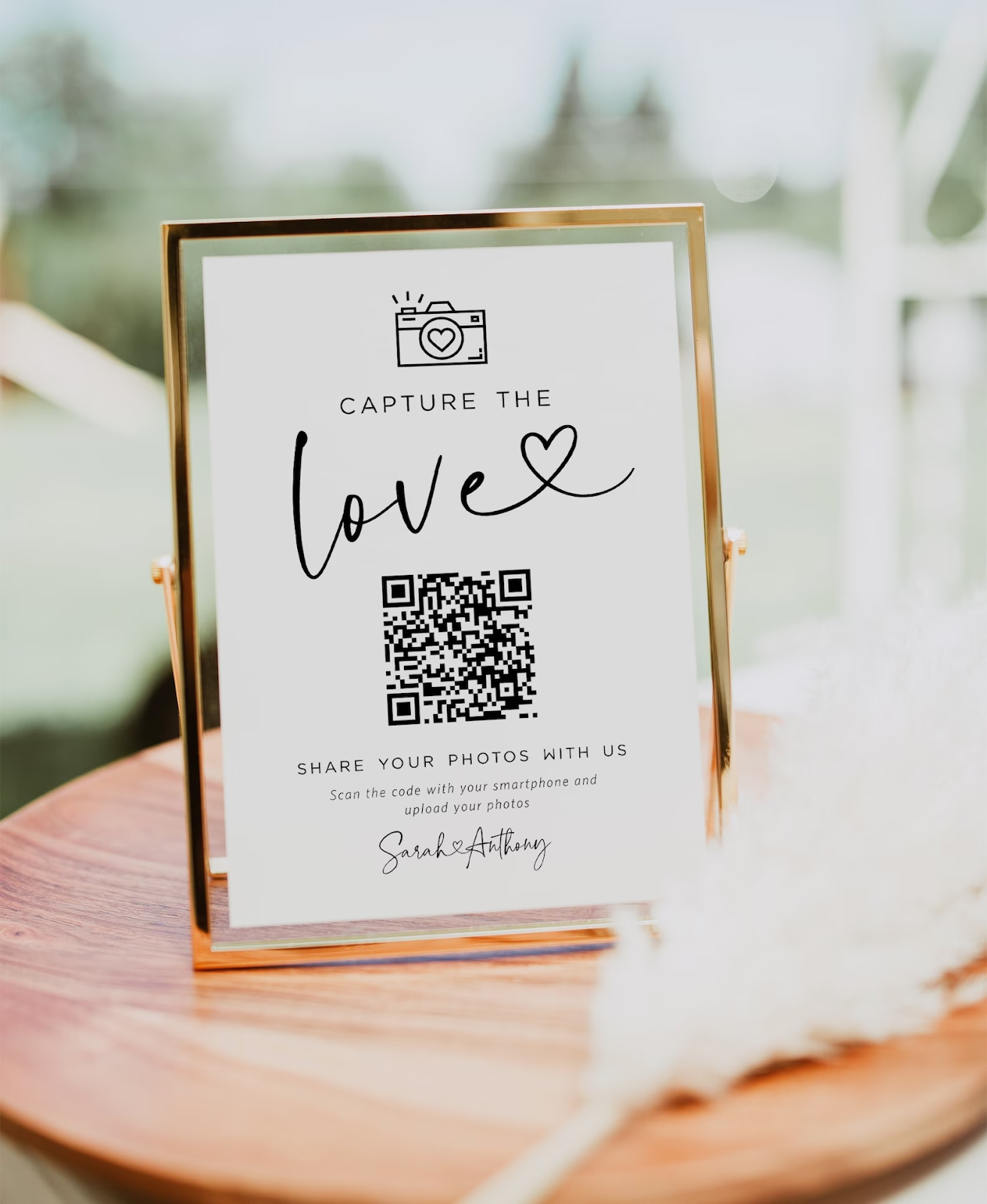
Private and secure sharing
With QR codes linked to a private album, you can control access to your wedding photos, ensuring that only invited guests can view and add images. By setting up password protection, you create a safe, intimate space for photo sharing, giving you peace of mind that these memories are securely shared only among your closest friends and family.
Convenient and modern
QR codes add a fun, interactive element to your wedding, encouraging guests to engage by uploading their own snapshots. Scanning QR codes is second nature for most people, making it a simple, tech-savvy way to collect and enjoy photos from multiple perspectives. This modern approach to photo sharing not only captures the spirit of the day but also makes guests feel like part of the celebration.
How to create a QR code for wedding photos
Step 1: Choose a cloud storage option
Start by setting up a cloud-based storage service to use with your wedding QR code, allowing guests to easily upload their pictures. Popular options include Google Drive, OneDrive, Dropbox, or a Google Form with a file upload feature. Create a shared folder and adjust the sharing permissions to ensure that guests can upload files without needing special access.
Step 2: Generate a shareable link
After setting up the shared folder or form, create a shareable link. This link will be the URL guests use to access the folder or form. Ensure the link settings allow uploads and access without restrictions.
Step 3: Create the QR code with mobiQode
Open mobiQode’s dynamic QR code generator tool. Create a new QR code, choose the “Website” option as the QR code type, and paste the shareable URL of your cloud storage or form into the provided field.
Step 4: Customize the QR code
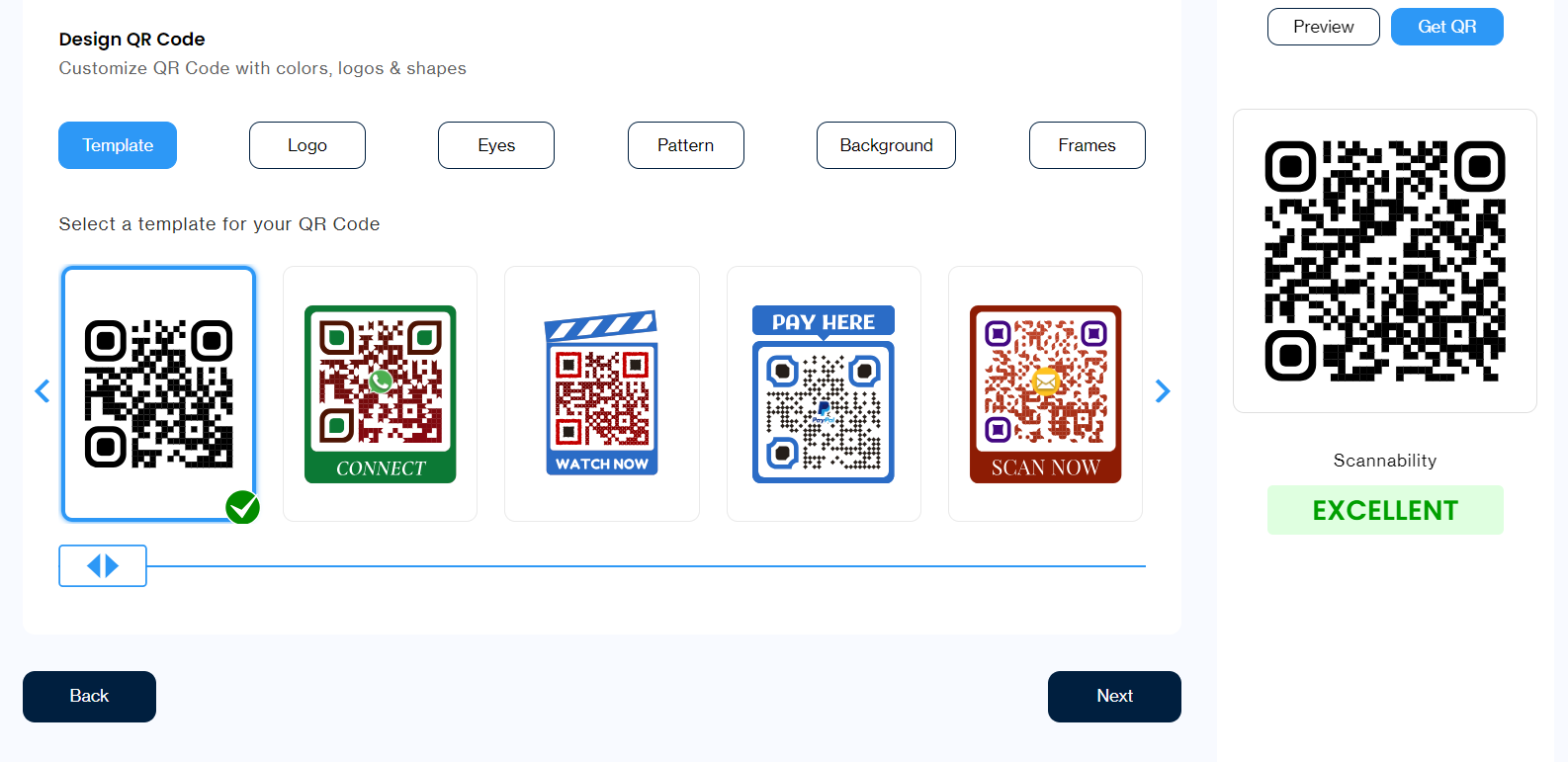
mobiQode’s tool allows you to customize the QR code with colours, logos, or shapes that match your wedding theme. You can add a personal touch by incorporating your initials, wedding date, or other custom details.
Step 5: Generate and download
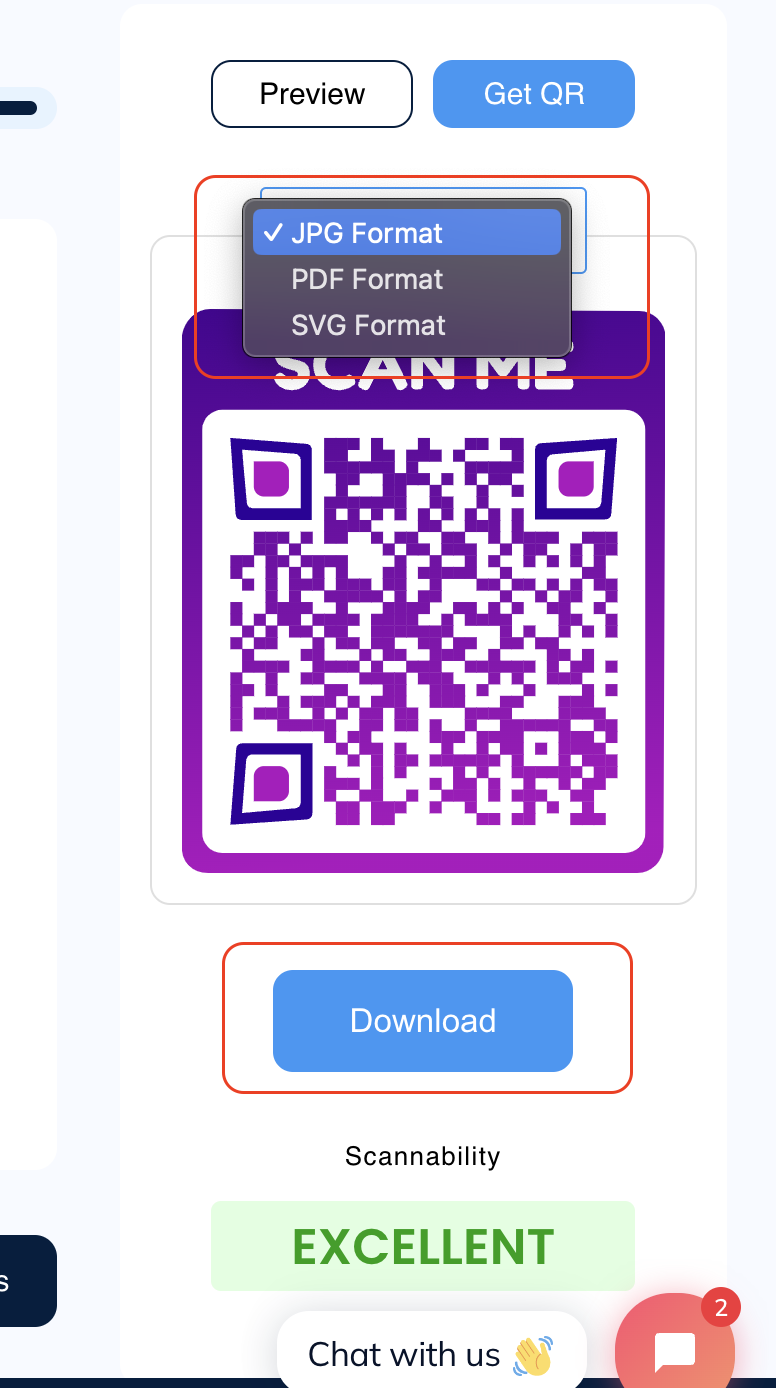
Once your QR code is customized, click “Generate” to create it. After generating, download the QR code in your preferred format (JPEG, PNG, or SVG).
Step 6: Display at your wedding
Print or display the QR code at your wedding so guests can easily scan it and be directed to the shared folder or form to upload photos instantly. Place the QR code in highly visible areas, such as at the entrance, on reception tables, or in your wedding program.
Create Wedding Photo QR Codes With mobiQode
Start Free Trial →Static or dynamic: which wedding QR code should you choose
To understand which option to choose, you need to first understand the differences between static and dynamic QR codes:
Static QR codes
Static QR codes are fixed and unchangeable once created. This means that whatever link or data you embed into the code cannot be updated or edited later. For example, if you generate a QR code for wedding pictures that links to a specific album, that link will always direct users to the same destination.
Static codes are great for situations where the information is permanent, such as sharing a final wedding album. However, if you need flexibility or might want to update the content linked to the code later, static QR codes may not be the best choice.
Dynamic QR codes
Dynamic QR codes offer more versatility. With a dynamic wedding photo QR code, you can edit or update the URL or content linked to the code even after it’s generated. For instance, you might want to first link the QR code to a “coming soon” gallery while the wedding photos are still being edited and later update the code to link to the final album.
This flexibility allows you to adjust the content as needed without having to generate a new code or inform your guests of any changes. Dynamic QR codes also allow for better tracking and analytics, such as seeing how many people have scanned the code.
Which should you choose
Choosing between static and dynamic QR codes depends on your use case. If you’re looking for a straightforward, permanent solution and don’t plan to change the link, a static QR code can work perfectly to share wedding photos.
On the other hand, if you want more control, the ability to make changes post-event, or to track engagement, dynamic QR codes are the way to go. The flexibility and added features of dynamic codes are especially valuable for a memorable event like your wedding.
Create wedding QR codes with mobiQode
Sign up for mobiQode and create a custom QR code for your wedding photos today. Our tool lets you design beautiful, fully customisable QR codes that allow guests to instantly upload and share their favourite moments from your big day. With dynamic QR codes, you can track engagement, update links effortlessly, and ensure all your memories are securely shared in one place.
Start your 14-day free trial — create a personalised, wedding-themed QR code that goes live in under 2 minutes. No ads, GDPR-compliant, and perfect for making your wedding unforgettable.
mobiQode — Wedding QR Code Generator
Start Free Trial →Your wedding day happens once, but the photos live forever. QR codes make it effortless for every guest to contribute to and access those memories.
Founder, mobiQode
Share Wedding Photos Instantly With QR Codes
Start Free Trial →14-Day Free Trial · Plans from $3/mo · No Credit Card Required