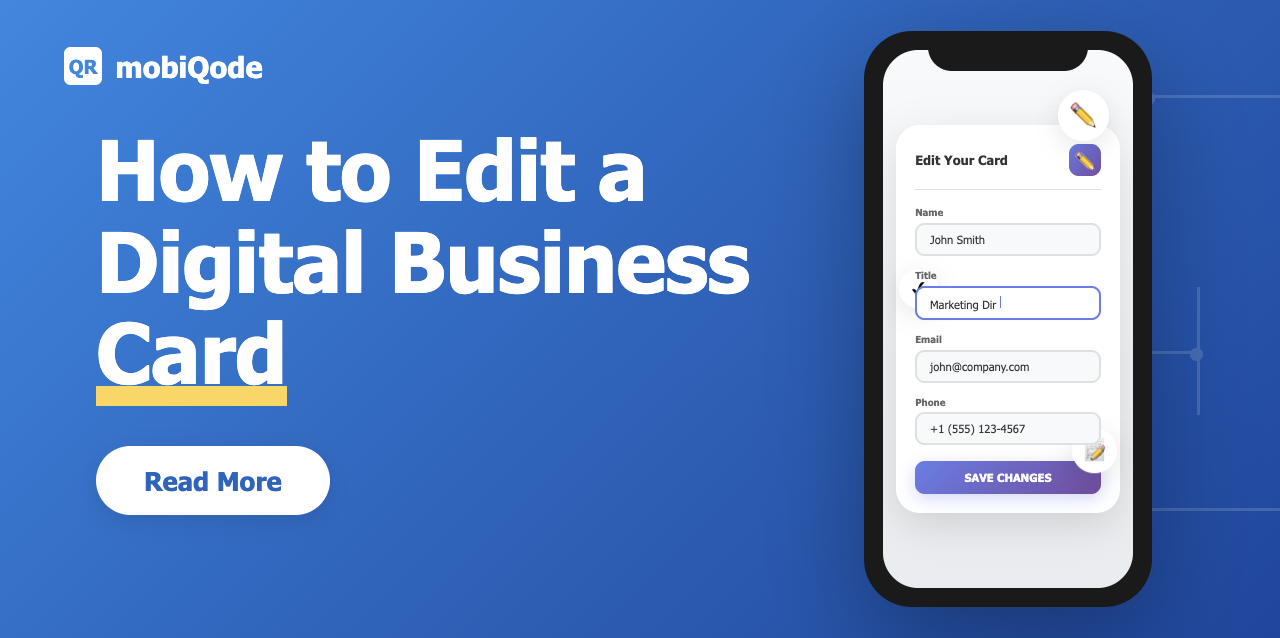
Every time you need to update a traditional business card, you have to print it again—time-consuming and costly. But with a digital business card, you can make those changes in seconds without reprinting or redistributing anything.
Sounds simple? It is—if you’re using the right tool. Let’s get into why you should edit your digital business cards routinely and how mobiQode makes it effortless.
Why editing your digital business card matters
Your professional details keep evolving
Job titles change, phone numbers get updated, and websites and brands often get new looks. Every change affects how people can get in touch with you, so it’s important to keep your contact information current.
Traditional cards mean reprints and waste
If you need to make even a small change to your paper business cards—like adding a new email address—you have to print them all over again. Every time your information changes, that costs more money, takes more time, and wastes more resources.
Digital cards stay accurate with quick edits
You can change information on a digital business card right away. Updates like adding a new social link or changing your business name show up instantly across all shared versions.
Sustainable and professional by design
Keeping your card up to date shows attention to detail and professionalism. It also eliminates paper waste, helping you maintain a clean and green networking presence.
Edit Your Digital Business Card Anytime — Try Free
Start Free Trial →Static vs dynamic QR codes: why it makes all the difference
Static QR codes
A static QR code is permanently linked to one destination. Once created, the URL it contains can’t be changed. If your contact details or business links change, the QR code becomes outdated—and every printed or shared version displays the wrong info.
Dynamic QR codes
A dynamic QR code lets you change the linked content at any time without reprinting or resharing. The QR code itself stays the same—only the destination updates.
Why dynamic codes matter for digital business cards
When your card uses a dynamic QR code, you can edit your contact details, social links, or branding without reprinting or resending anything. The QR code remains valid, always directing to the latest version of your card.
For example, if a static QR code links to an old business page, every card you’ve printed becomes useless. With a dynamic QR code, you simply update what that same code leads to. (Learn more about static vs dynamic QR codes here.)
You can create digital business cards on mobiQode with dynamic QR codes. This means your updates stay live, your printed materials remain usable, and your networking stays uninterrupted—even when you change your information.
How to edit your digital business card in mobiQode (step-by-step)
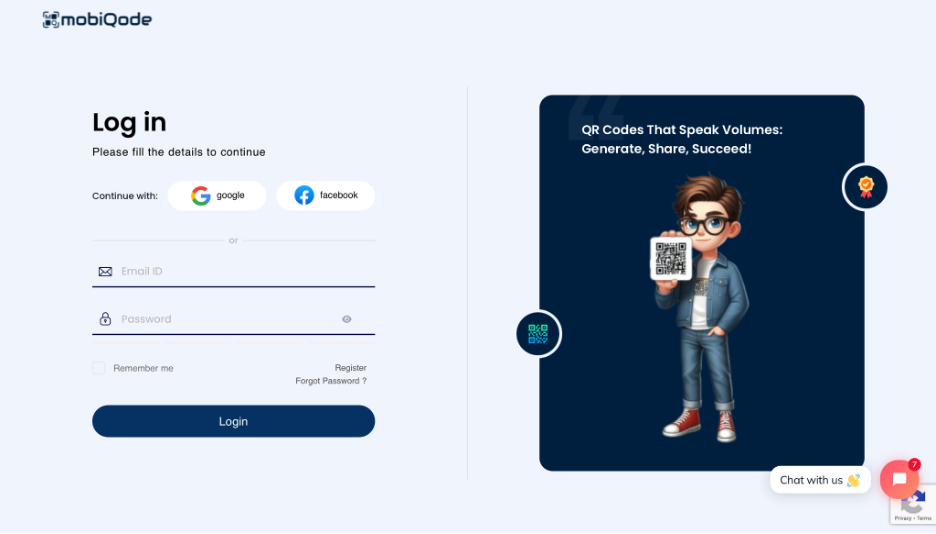
Step 1: Log in to mobiQode
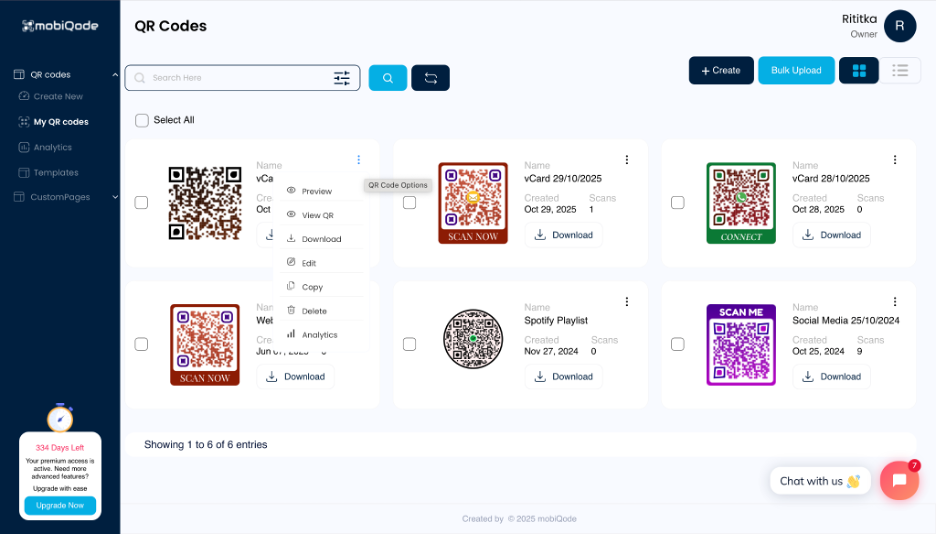
Log in to your mobiQode account. Once you’re in, go to the My Cards section of your dashboard. This is where all of your digital cards are saved.
Step 2: Open your card for editing
Find the card you want to change. Click the three dots (⋮) next to it to open the card editor, which shows all of your current settings and information.
Step 3: Update your details
Make the changes you need—update your name, job title, company information, phone number, email, website, or social media links. The editing experience works just like when you first created the card.
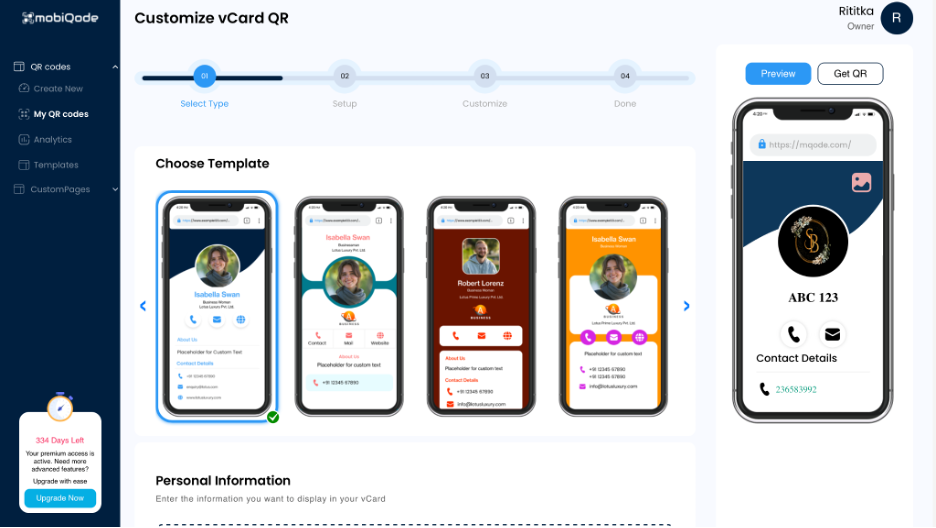
Step 4: Customize your landing page
Change the colors, layout, or call-to-action buttons on your card’s landing page to match your brand style. You can also adjust the fields on your lead capture form to collect exactly the information you need from clients.
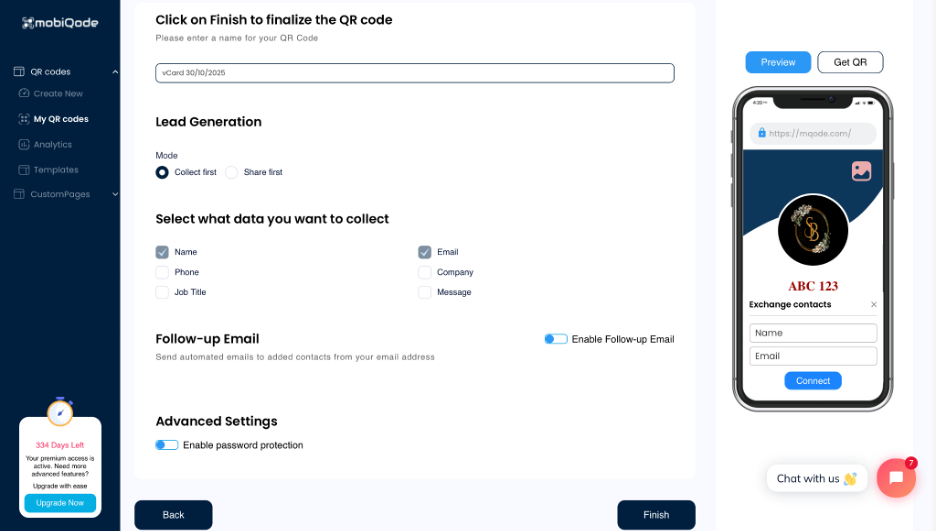
Step 5: Save and republish
Click “Save” and your digital business card updates instantly online. No new links to create, no cards to reprint. The QR code stays the same and automatically shows your latest details.
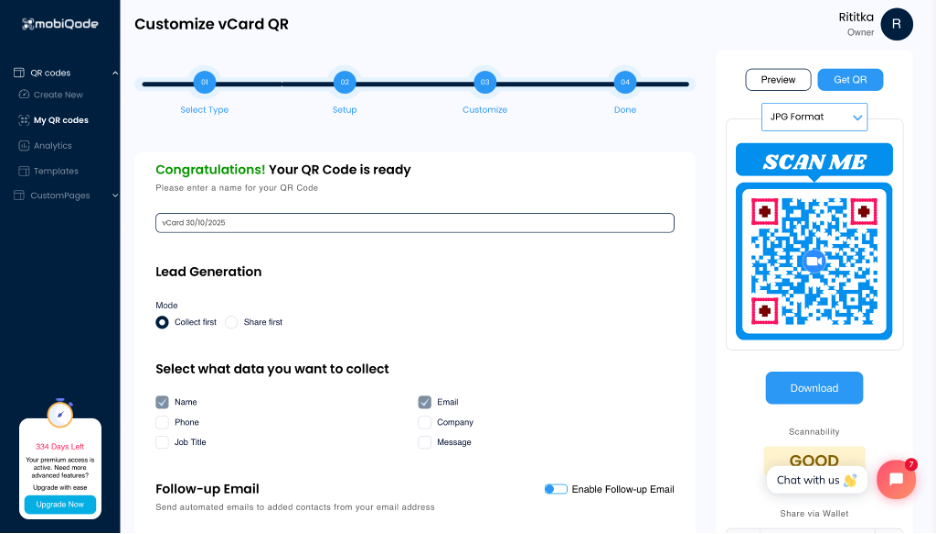
Step 6: Share or print again (optional)
Re-download your QR code if you need to use it in print or on marketing materials. It will always link to the most recent version, keeping your business identity consistent everywhere.
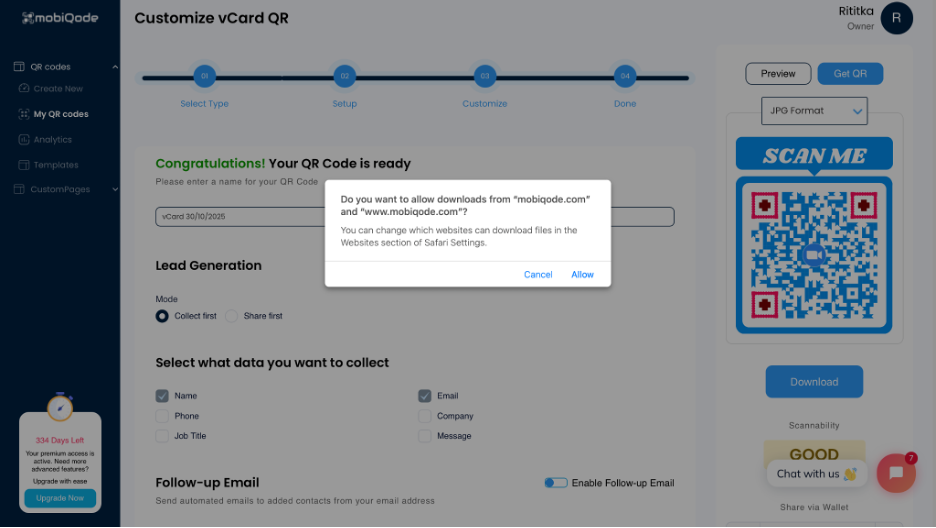
mobiQode — Edit Your Digital Card in Real Time
Start Free Trial →Why choose a dynamic QR code tool for your digital business cards
- No need to print new cards: Change your information anytime and your QR code still works—saving time and money on printing
- Avoid broken links or outdated profiles: Your QR code always takes people to the most recent version of your digital card, so they never see outdated information
- Ideal for small businesses and freelancers: Make quick changes for rebranding, new services, or logo updates without creating a new card
- Keep tracking data consistent: Every scan is recorded. Even after updates, your scan history and analytics remain intact
- Flexible for the future: As your business grows or your role changes, your card adapts by editing the original version
Keep your business card updated with mobiQode
Editing your digital business card shouldn’t be complicated—and with mobiQode, it isn’t. Make changes in real time, whether you’re updating your job title, rebranding, or adding new contact information. No reprints, no redistribution. With dynamic QR codes, your card is always up to date, professional, and ready to share.
Create and edit your free digital business card today with mobiQode.
Your business card should evolve as fast as your career does. With dynamic QR codes, one edit updates every card you’ve ever shared.
Founder, mobiQode
Edit Your Digital Business Card in Seconds
Start Free Trial →14-Day Free Trial · Plans from $5/mo · No Credit Card Required