

How many business cards have you handed out that never made it past someone’s pocket? That quiet waste is what digital business cards are fixing. These cards don’t just share contact details—they track engagement, update instantly, and travel wherever your network goes.
Whether you’re networking at events or connecting online, digital cards make every introduction more meaningful. Here are 8 modern digital business card use cases proving why this simple switch is transforming how people share who they are and what they do.
Networking events and conferences
You meet dozens of people in a single day, and paper cards rarely make it back from the stack you give out. With a digital business card, all you need to do is hold up your phone. Your customers or clients scan your QR code in seconds—and your details are saved instantly.
If you’re speaking at a panel, you can add event-specific CTAs like “Book a follow-up call” or “Download my slides.” You can update your link anytime, ensuring your connections always get the latest info. It’s smoother, faster, and far more memorable.
Sales teams and client meetings
Sales reps can use QR code business cards to stay one step ahead. Instead of handing out paper cards, they share a scannable profile that links to demo requests, client case studies, or product catalogs.
For example, a SaaS rep can add a “Schedule a demo” button that connects directly to Calendly. Even if branding or contact details change, the QR code stays the same. Dynamic QR codes keep every prospect touchpoint clean, current, and effortless.
Hiring and recruitment
HR teams can use digital business cards at job fairs and recruitment drives to cut down on manual exchanges. A recruiter can display a QR on their booth—one scan takes candidates directly to open roles or an application page.
Even on LinkedIn, instead of sending long messages, they can drop a card link that leads to the careers portal. It’s quick, paperless, and makes your company look modern and tech-savvy.
Freelancers and creators
Freelancers love how a digital business card doubles as a mini portfolio. A designer can include a Behance or Dribbble link, a photographer can link to their gallery, and a writer can share published work.
If you’re meeting clients in person, scanning your QR instantly opens your contact and portfolio link on their phone. Need to update your pricing or project list? Just edit your info linked to the dynamic QR code—no reprints needed.
Create Your Digital Business Card — Free for 14 Days
Start Free Trial →Real estate and consulting professionals
Real estate agents can add QR codes to their property flyers or signs. When a buyer scans it, they’re taken to a digital card with the agent’s details, new listings, and a “Schedule a tour” button.
Consultants can use the same approach for proposals and meetings, linking their cards to success stories or case studies. When project scopes change, they simply update the content behind the same dynamic QR. It keeps every lead warm and well-informed.
Startups and small businesses
Startups often create branded digital business cards for all employees to keep networking consistent. Each card can include links to company pages, product launches, or promo videos.
Update your business logo or change your office address? One backend edit updates all cards instantly. It’s a cost-effective, eco-friendly way to scale professionalism across teams.
Educators and speakers
At conferences and webinars, educators and trainers use contactless business cards to share slides, class links, or course enrollment pages.
Imagine finishing a talk and inviting attendees to scan your QR for a free resource or a certificate link. You can even track how many people viewed your profile using dynamic QR codes. It’s a smart way to blend teaching with networking.
Customer service and retail teams
Retail stores and service businesses add QR codes to packaging, counters, or receipts. When scanned, customers can view contact info, request support, or leave reviews directly.
For example, a salon might let clients scan a card to book their next appointment, while a café can link it to a loyalty sign-up page along with their contact numbers. It turns every purchase into an opportunity to reconnect and retain customers.
How to create a digital business card with mobiQode
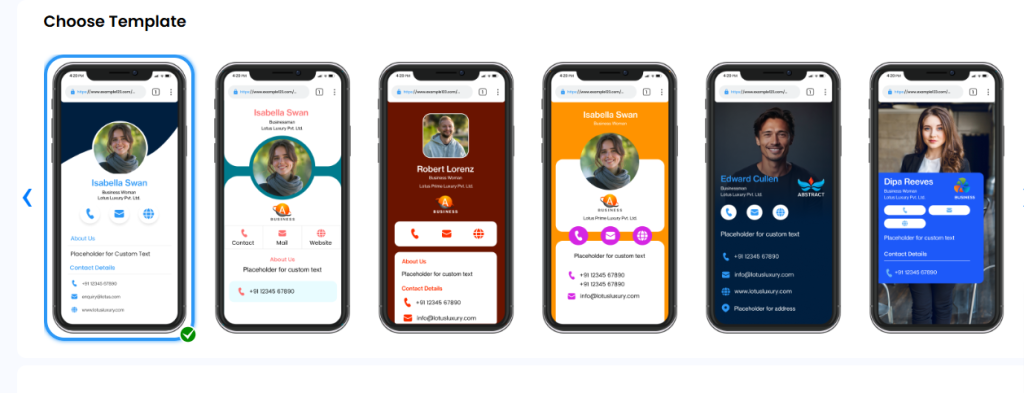
Step 1: Sign up and choose a template
Sign up on mobiQode’s digital business card maker to create your digital business card. Then pick a layout that fits your goal:
- For networking, choose a clean profile with a “Book meeting” CTA
- For sales, include space for case studies and demo links
- For retail, pick a compact card for receipts or packaging
Step 2: Add personal details
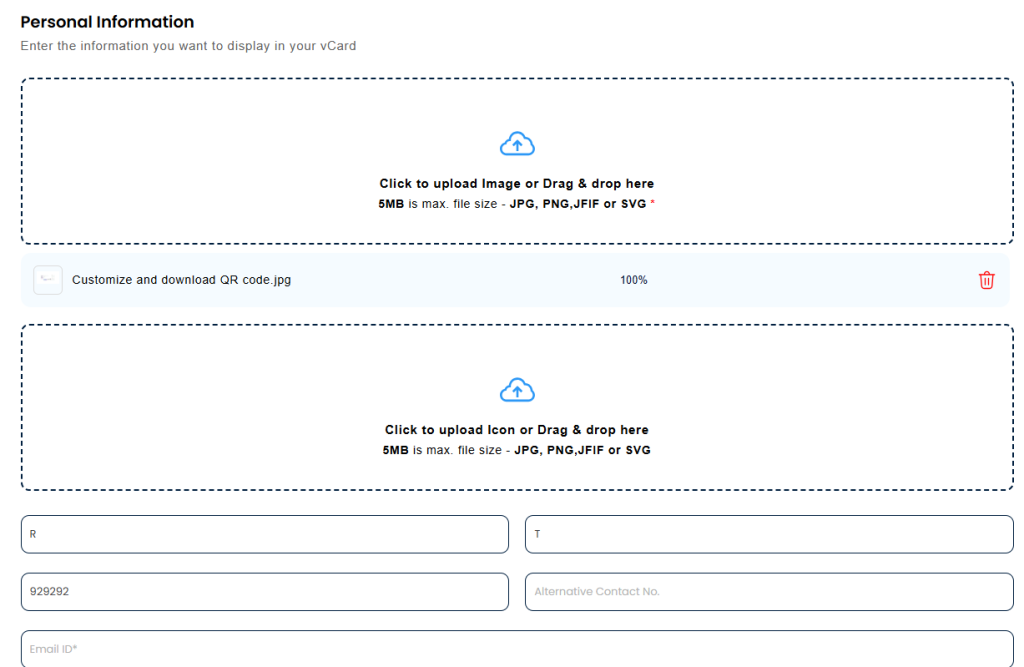
Enter your name, role, phone, and a short intro. For example, if you’re a designer, add something like “UI/UX Designer: helping brands go digital.” Keep it concise and relevant to your audience.
Step 3: Add company details
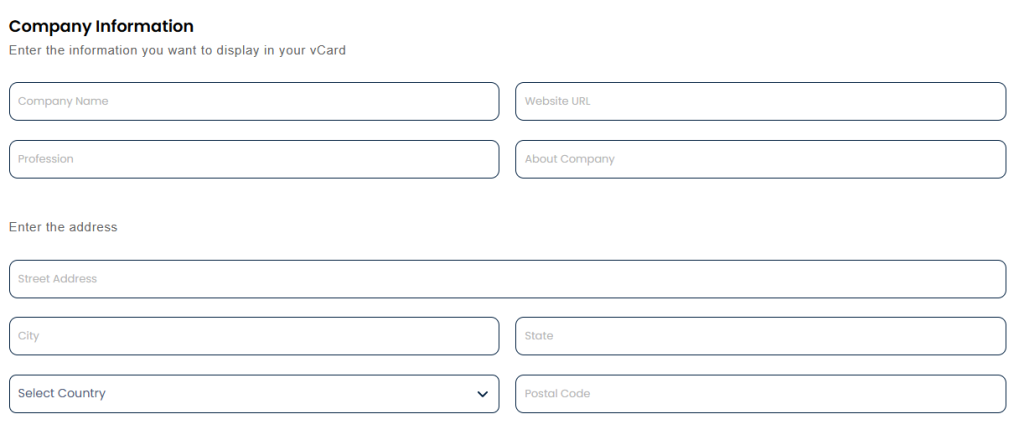
Include your business name, website, and address. A sales rep, for example, can add a company page and client success stories.
Step 4: Add theme colors and social links
Match your card to your brand colors. Increase interactivity by linking your socials—LinkedIn for professionals, YouTube for educators, or Behance for creators.
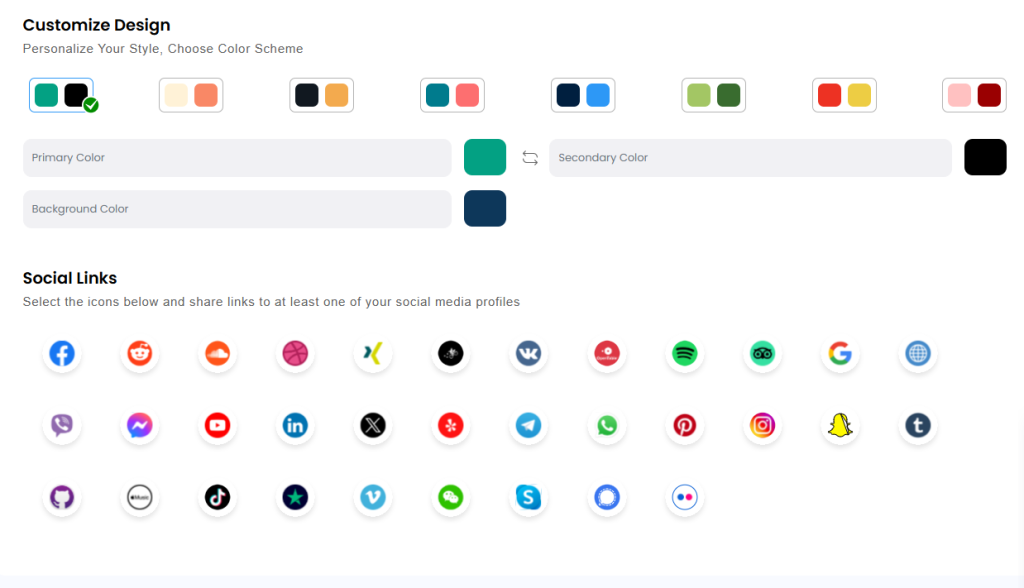
Step 5: Customize your QR code
A dynamic QR code is generated automatically, which you can customize with your logo or colors. Reuse the same QR across print and digital—content updates instantly without changing the code.
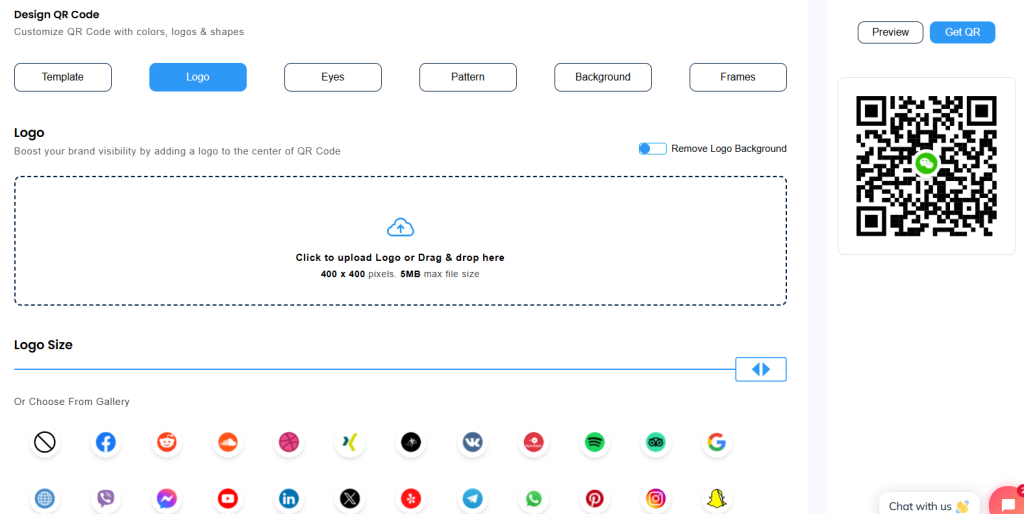
Step 6: Preview and share
Check how your landing page looks on mobile, test the QR scan, then publish. Share it via email, WhatsApp, or print it on marketing materials.
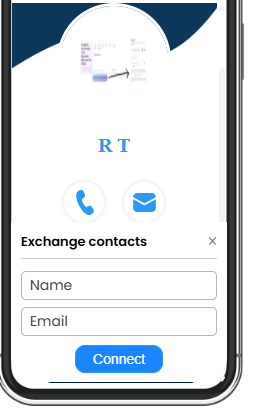
mobiQode — Digital Business Cards for Every Use Case
Start Free Trial →Your next introduction deserves better
Your network deserves more than paper. Whether you’re pitching, hiring, or creating, your digital business card becomes a living profile that grows with you. Update details anytime, track real engagement, and stay one step ahead in every interaction.
Design your mobiQode digital business card now and make every introduction count.
A business card should do more than sit in a wallet. With digital cards, every scan is a live connection—trackable, updatable, and always professional.
Founder, mobiQode
Create Your Digital Business Card for Any Use Case
Start Free Trial →14-Day Free Trial · Plans from $5/mo · No Credit Card Required

