

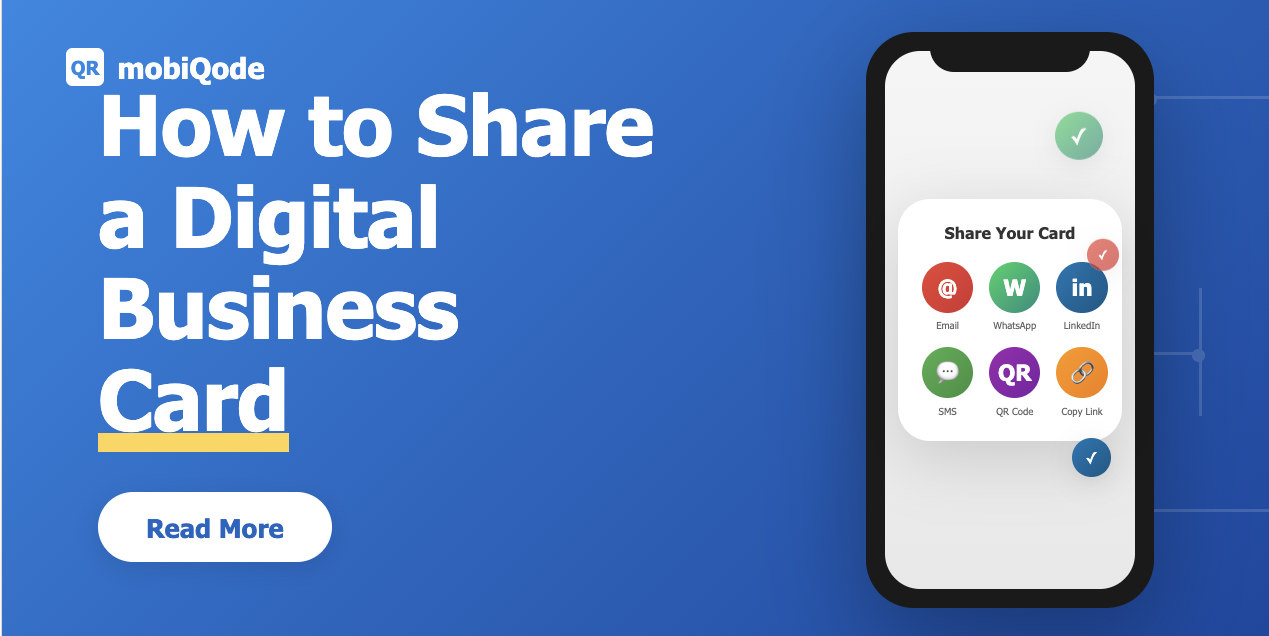
It’s time for your business cards to come out of your wallets and go digital for modern-day networking. Whether you’re meeting someone at a conference, connecting on LinkedIn, or closing a deal over coffee, a digital business card makes it instant.
No fumbling for paper, always updated—with just one tap or scan, you’re in their contacts. In this guide, we’ll show you exactly how to share a digital business card using QR codes, links, and smart devices, so your network grows faster and smarter.
Why sharing a digital business card is better than traditional cards
Sharing contact details should be quick, not complicated. That’s where digital business cards with QR codes come in—they let you share who you are in seconds, no matter where you are. Platforms like mobiQode make this seamless by combining QR codes, smart links, and live updates into one professional profile. Here are the top reasons to switch:
- Instant sharing: Share your digital business card through a QR code, link, or NFC tap—perfect for both in-person and online meetings
- Always up to date: Update once, and every shared card reflects your latest role, number, or website automatically
- Universal compatibility: Works on any phone or browser without needing an app, ensuring effortless networking every time
Create Your Digital Business Card — Free for 14 Days
Start Free Trial →Different ways to share a digital business card
There’s no one-size-fits-all way to share your digital business card—and that’s the best part. With mobiQode, you get multiple smart sharing options that fit how and where you connect.
1. Share via dynamic QR code
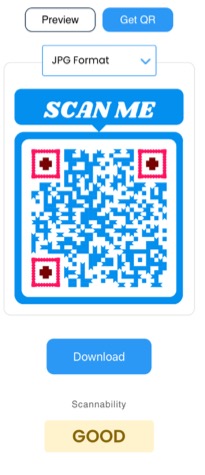
The fastest way to share your info is through a dynamic QR code on your contactless business card. Open your mobiQode QR code on your phone, or print it on posters, lanyards, or table tents.
As soon as someone scans it, your contact info gets shared with them—and vice versa if you’ve added a lead capture form. This is perfect for trade shows, retail counters, or any quick introduction. And since it’s dynamic, you can update your details anytime without reprinting or regenerating a new code.
2. Share via direct link
Every mobiQode card comes with a unique shareable link. Drop it in a text, email, or chat. It’s also great for adding to your email signature, WhatsApp bio, or LinkedIn message. Each link opens as a mobile-friendly landing page, so your card looks clean and professional no matter where it’s viewed.
3. Add to digital touchpoints
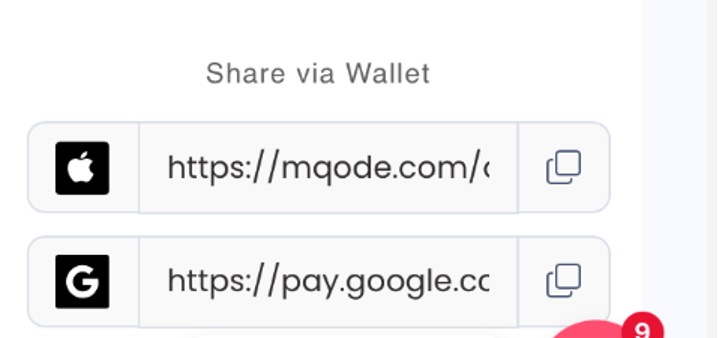
Your mobiQode card can live anywhere your audience interacts with you. Add your QR code to your email footer, Apple Wallet or Google Wallet, resume, product packaging, or event badges. Think of it as one smart card that connects across every channel—ensuring people can reach you with just one scan.
How to share like a pro
- Test before you share: Always scan your mobiQode QR or click your link to make sure everything looks and works perfectly
- Add a clear CTA: Include buttons like “Book a Call” or “Save My Contact” on your mobiQode landing page to drive real action
- Stay on-brand: Customize your page with your logo, colors, and style so your card feels aligned to your business
- Use it everywhere: Drop your mobiQode card link in your email signature, social bios, and event badges—it’s your digital handshake that works 24/7
mobiQode — Share Your Digital Card in Seconds
Start Free Trial →Tracking your shared digital business card
With mobiQode, you can see exactly when, where, and how often your card is scanned. This helps professionals measure networking success and businesses analyze campaign reach. Whether you’ve shared your QR at a conference booth or in an email signature, mobiQode’s dashboard shows which channels perform best—helping you fine-tune future outreach.
Perfect for teams and event networking
For marketing and sales teams, mobiQode makes it easy to track how leads engage with your shared cards. Compare scan activity across different team members or campaigns to make follow-ups smarter and faster. Event organizers and brand promoters can use these insights to measure visibility and engagement in real time.
Privacy-first data collection
mobiQode only tracks engagement metrics—not personal data. You’ll know how your card performs without invading anyone’s privacy. It’s a simple, ethical way to monitor results while maintaining user trust, especially valuable for organizations handling sensitive client information.
Optimize your sharing strategy
Use scan data to see which sharing format works best: QR codes on brochures, links in email signatures, or NFC taps at events. With mobiQode’s analytics, you can make data-backed decisions and focus on what truly drives new connections.
Smarter follow-ups and conversions
Tracking doesn’t end with views. Combine mobiQode’s scan analytics with its built-in lead forms to see who’s engaging and reach out at the right time. This helps professionals turn casual scans into genuine conversations and long-term business relationships.
Go beyond paper and make every introduction count
Your business card shouldn’t sit in a drawer—it should work for you 24/7. With mobiQode, sharing your contactless business card is instant, trackable, and endlessly flexible. From QR scans at events to clickable links in emails, every interaction helps you build better connections.
Text it, post it on LinkedIn, or print it on your merch. Each scan leads people straight to your latest details, ensuring you never miss a networking moment again.
Create your digital business card now with mobiQode and start sharing it in seconds.
Sharing your business card should be as easy as shaking hands. With QR codes and smart links, every scan is a new connection waiting to happen.
Founder, mobiQode
Share Your Professional Digital Business Card Today
Start Free Trial →14-Day Free Trial · Plans from $5/mo · No Credit Card Required

