

Looking for a QR Code Generator Pro alternative?
Try mobiQode Free →Quick verdict: QR Code Generator Pro’s entry plan gives you just 2 dynamic QR codes for $5/month, and free trial codes expire after 14 days with no warning — often after you’ve already printed them. mobiQode gives you 10 QR codes from $5/month with transparent billing, and your codes stay active as long as your plan supports them. Best for teams that need volume, honesty, and no billing surprises.
QR Code Generator Pro is one of the more recognisable names in QR code software. It handles dynamic and static codes, offers customisation, and has decent analytics. For some users, it works fine.
For others — particularly small businesses, event organisers, and marketing teams who discovered their codes stopped working after printing — it has been a source of real frustration. This review covers what the platform does well, where it falls short, and whether mobiQode might be a better fit for your specific situation.
What is QR Code Generator Pro
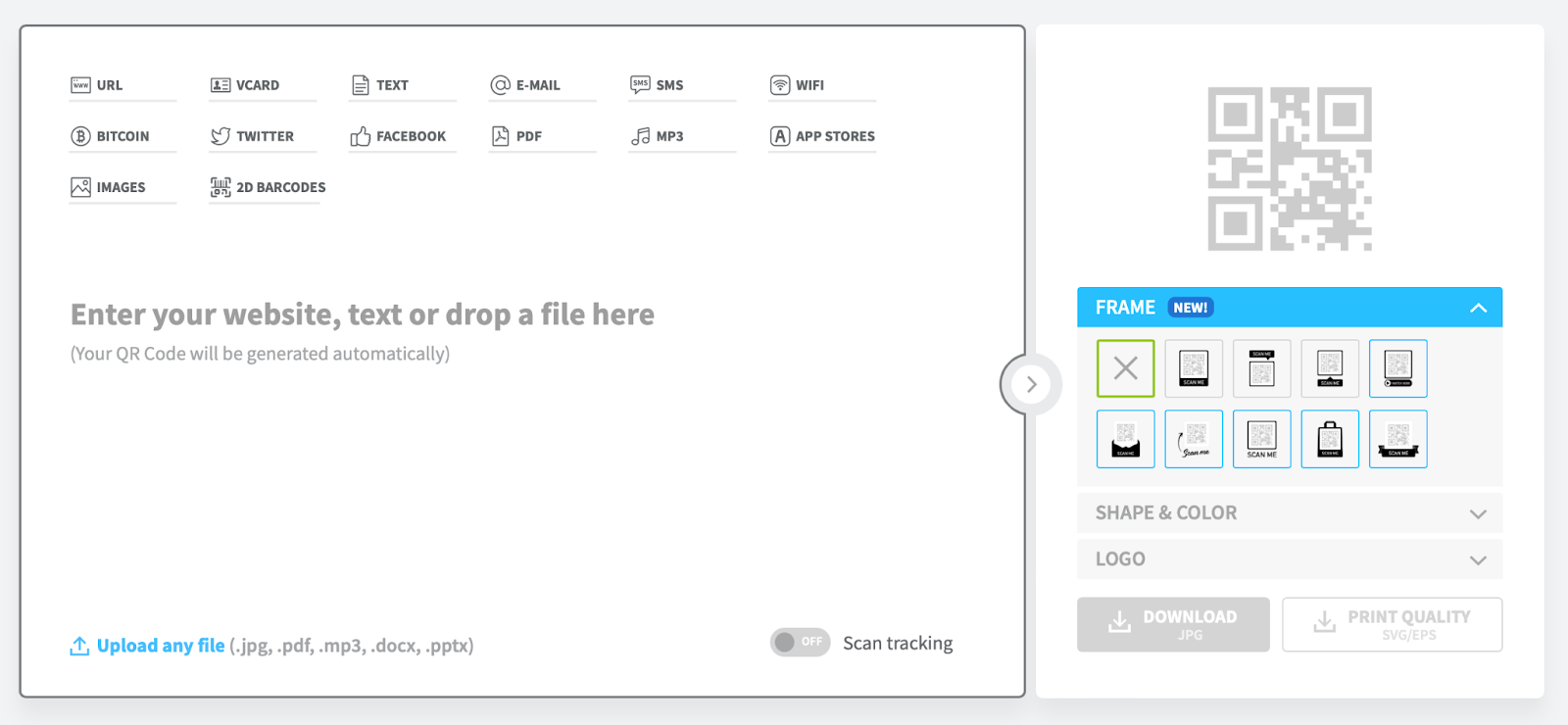
QR Code Generator Pro is a QR code platform designed for businesses that need branded, trackable codes with the ability to update destination links after printing. Its core offering is dynamic QR codes — codes that point to a redirect URL rather than a fixed destination, so you can change where they lead without reprinting. It also provides scan analytics, design customisation, and team collaboration tools.
That flexibility makes it attractive for ongoing campaigns, restaurant menus, and event promotions. The catch — which we’ll get into — is that the flexibility is entirely subscription-dependent. If your plan lapses or you never upgrade from the trial, your codes stop working regardless of what they’re printed on.
Pros and cons at a glance
Pros
- Dynamic, editable QR codes
- Extensive customisation options
- In-depth scan analytics
- Multiple download formats (PNG, SVG, EPS, PDF)
- Team collaboration tools
Cons
- Trial codes expire after 14 days — often after printing
- Entry plan allows only 2 dynamic QR codes
- Annual billing enforced without clear upfront warning
- No phone support; AI chatbot only
- Codes stop working the moment a plan lapses
- Higher cost per QR code at every tier
Key features reviewed
Dynamic QR codes
Dynamic QR codes allow you to update the destination URL after printing — the most useful feature for any ongoing campaign. QR Code Generator Pro supports this across paid plans. The problem is that dynamic codes created during the free trial are deactivated the moment the trial ends, with little warning in advance.
Customisation options
QR Code Generator Pro allows colour adjustments, logo embedding, and design modifications to match brand identity. These are solid tools, though the learning curve can be steep for users unfamiliar with design software.
Download formats
Supports PNG, SVG, EPS, and PDF exports. PNG works well for digital; SVG and EPS are the right choices for large-format print where quality matters.
Analytics
QR Code Generator Pro’s analytics cover scan counts, locations, device types, and timestamps. Useful for measuring campaign performance and understanding where your audience is engaging.
Team collaboration
Multiple users can access and manage codes under a shared account, which is useful for marketing teams running coordinated campaigns. The number of users depends on the plan, which can limit larger teams.
Pricing
QR Code Generator Pro starts at $5/month for just 2 dynamic QR codes. The top plan costs $37.50/month for 250 codes. Dynamic codes are locked behind paid tiers entirely — there is no free plan that keeps codes permanently active.

mobiQode: Plans from $5/mo — no expiring codes, no billing surprises
Start Free Trial →What customers are saying
“Free QR code will expire if you don’t pay a huge annual fee. However, I will say customer service was kind and refunded me. I had bad timing and had a QR expire right before an event where I needed it, so I paid up (over 100 for the annual fee). I then canceled the next day, and they were kind enough to give a full refund.”
— Paul Zande, G2
“They don’t tell you the QR code expires after a few days until it’s too late.”
— Yohan De Vries, Trustpilot
“I got totally scammed. They pretend to generate a QR code, and then without warning you, after 14 days they blackmail you to force you to pay to keep that QR code active.”
— Verified user, Capterra (February 2024)
“This website and process is incredibly unclear and misleading. There is nowhere on the website to even contact anybody with a complaint. They have only created panic and a headache for me.”
— Verified user, G2
Pricing comparison: QR Code Generator Pro vs mobiQode
Here is a direct plan-by-plan comparison across the metrics that matter most for a real business decision.
| Feature | QR Code Generator Pro | mobiQode |
|---|---|---|
| Entry plan price | $5/mo (2 QR codes only) | $5/mo (10 QR codes) |
| Mid-tier plan | ~$15/mo (25 QR codes) | $10/mo (100 QR codes) |
| Top plan | $37.50/mo (250 QR codes) | $50/mo (5,000 QR codes) |
| Free trial | 14 days (codes expire after) | 14 days |
| Codes expire after trial | ✗ Yes — deactivated | ✗ Yes — upgrade required |
| Codes survive plan downgrade | ✗ All codes deactivated | ✓ Codes within new plan limit stay live |
| Dynamic QR codes | ✓ Paid plans only | ✓ All paid plans |
| Analytics | ✓ Paid plans | ✓ All plans |
| Geo-location tracking | ✓ | ✓ |
| Digital business cards (vCards) | ✗ Not offered | ✓ Included in all plans |
| Custom landing pages | ✗ Not included | ✓ CustomPage on all plans |
| Bulk QR creation | ✓ | ✓ |
| Password protection | ✓ | ✓ |
| Custom domain + branded URL | ✓ Higher plans | ✓ All plans |
| GDPR compliant | ✓ | ✓ |
| Billing transparency | Annual billing enforced, often without clear disclosure | Yearly ($5/mo) and monthly ($12/mo) options shown clearly upfront |
Prices shown are for yearly billing in USD. Verified March 2026.
Who should use each tool
Both tools create professional, dynamic QR codes. The right choice depends on how many codes you need, how often you print them, and how much billing transparency matters to you.
Consider QR Code Generator Pro if…
- You only need 1–2 QR codes and won’t be printing at scale
- You’re comfortable with annual billing commitments
- You need EPS/PDF export formats specifically
- Your team is already familiar with the platform
Choose mobiQode if…
- You need more than 2 QR codes without paying a premium
- You’re printing materials for events, trade shows, or campaigns
- You want digital business cards alongside QR codes
- You manage codes for multiple clients (agency use)
- Billing transparency is non-negotiable
- You need custom landing pages without a separate domain
mobiQode as a QR Code Generator Pro alternative
mobiQode was built to solve the exact problems that come up most often in QR Code Generator Pro reviews — opaque billing, aggressive code deactivation, and a limit of 2 codes on the entry plan. Here are the features that make it a direct alternative.
Dynamic QR codes
All paid mobiQode plans include fully editable dynamic QR codes. Update destination URLs at any time without reprinting — essential for seasonal promotions, restaurant menus, or any campaign where the destination changes.
Transparent pricing — no billing surprises
mobiQode shows both monthly and yearly pricing clearly before you sign up. No hidden annual commitment, no codes that expire before you realise you’ve been enrolled in a plan you didn’t intend to purchase. Plans start from $5/month for 10 QR codes — five times more than QR Code Generator Pro’s entry tier at the same price.
Digital business cards (vCards)
Every mobiQode plan includes digital business cards — something QR Code Generator Pro doesn’t offer at all. For professionals, sales teams, and anyone replacing a physical card with a scannable vCard, this makes mobiQode a two-in-one tool.
Custom landing pages
mobiQode’s CustomPage feature lets you create branded landing pages linked directly to a QR code — no external domain or hosting required. Useful for small businesses and event organisers who need a professional destination without a full website setup.
Comprehensive analytics — on every plan
Scan tracking, geo-location data, device types, and timestamps are available across all mobiQode plans. Analytics are not locked behind a higher tier — you get the full picture from day one.
Bulk creation and agency-scale plans
mobiQode’s Agency plan supports 5,000 QR codes and 500 vCards for $50/month — significantly more volume than QR Code Generator Pro’s $37.50/month cap of 250 codes. For agencies managing codes across multiple clients, the economics are substantially different.
Security and GDPR compliance
mobiQode uses data encryption and is fully GDPR-compliant, making it suitable for organisations that handle sensitive user data or operate under European data protection regulations.
Frequently asked questions
Unfortunately, yes — this is a pattern that comes up repeatedly in QR Code Generator Pro reviews. The platform creates dynamic QR codes during the free trial, but those codes are deactivated after 14 days unless you purchase an annual subscription. Several users have reported being charged upfront for a full year without clearly consenting to annual billing.
If you’ve already been charged and want a refund, some users report success by contacting support directly and citing the lack of clear disclosure. If you’re looking to avoid this situation entirely, mobiQode’s pricing is month-by-month by default, with no hidden annual commitment. You can see exactly what you’ll pay before you enter any payment details.
For a genuinely one-time static QR code — say, a wedding invitation linking to a fixed URL that will never change — you can use a free static code generator and it will work indefinitely. Static codes encode the URL directly and don’t rely on any platform to stay active.
If you need a dynamic code (one you can update after printing, or one with analytics), you’ll need a paid plan from any platform. QR Code Generator Pro’s entry plan gives you 2 dynamic codes for $5/month on annual billing. mobiQode’s Mini plan gives you 10 QR codes for the same $5/month on a yearly plan — or $12/month if you prefer to pay monthly. Five times more codes at the same price, with both options shown clearly before you commit.
This depends heavily on which platform you’re using, and the answer matters a great deal if you’ve printed those codes on physical materials.
With QR Code Generator Pro, codes are deactivated when a paid plan lapses — regardless of how many codes you had active. Users report scanning a code after cancelling and being redirected to a payment prompt instead of their content.
With mobiQode, the behaviour is more measured: codes within your new (lower) plan’s limit stay active. If you downgrade from Pro (100 codes) to Mini (10 codes), your first 10 codes continue to work. Codes above the limit are paused — not deleted — until you upgrade again. Nothing is permanently lost, and codes you’ve printed within your plan limit keep functioning.
This is where the stakes are highest, and where QR Code Generator Pro’s trial expiry model causes the most damage. Multiple verified reviews describe codes created during the free trial being deactivated mid-event — booth displays, printed flyers, and banners all pointing to dead codes at the exact moment they needed to work.
If you’re printing anything for an event, the safest approach on any platform is: create your code on a paid plan before you print, and test it thoroughly across multiple devices. Don’t use trial codes for anything that’s going on a physical material.
mobiQode’s paid plans keep codes active as long as your plan is active and supports the number of codes you’re using. With plans starting at $5/month, the cost of being on a paid plan before your event is minimal compared to the risk of reprinting materials or arriving at a trade show with broken codes.
Switch from QR Code Generator Pro to mobiQode — transparent pricing, more codes, no surprises
Start Your Free Trial →14-day free trial · Plans from $5/mo · No credit card required

