

Looking for a Uniqode alternative?
Try mobiQode Free →Uniqode is a solid QR code platform with good customization and tracking features. However, it is expensive relative to what you get — analytics are limited to 60 days on the starter plan, scan limits apply across all plans, and custom domains are locked behind higher-tier pricing. For businesses that need comparable features at a lower cost, mobiQode is a strong alternative worth considering.
Uniqode is a solid option for creating and managing QR codes. It offers several customization and tracking features if you’re looking to generate dynamic and static QR codes. But it might not fit everyone’s needs perfectly. Whether it’s limited tracking or a lack of specific features, some users may find it necessary to look for other options. In this article, we review Uniqode in detail and look at the top alternatives, including mobiQode.
What is Uniqode?
Uniqode is a QR code generator designed to help businesses and individuals create customizable QR codes quickly and easily. With Uniqode, users can generate QR codes for various purposes, such as website links, contact information, or product details, and customize the design by choosing colors, logos, and frames.
It supports a variety of formats, including URL, text, and Wi-Fi QR codes, making it versatile for different use cases. Uniqode aims to provide an efficient, user-friendly platform that ensures QR codes are both functional and visually appealing, catering to branding and marketing needs.
Uniqode pros and cons at a glance
Here are some pros and cons for Uniqode based on reviews posted by users online:
✓ Pros
- Ease of use
- Multiple customization options
- Low learning curve
✗ Cons
- Expensive for what you get
- Scan limits on all paid plans
- Analytics only available for 60 days on starter plan
- Some colors have low scannability scores
- Custom domain locked to higher plans
Uniqode feature review: What do you actually get?
Uniqode has some key features which would be useful for businesses using QR codes. Here is an honest look at each one.
What QR code types does Uniqode support?
Uniqode offers a variety of QR code options and you can also upload different file formats. With a Uniqode subscription you can create both static and dynamic QR codes. For file formats, you can choose between website URL, digital business card, link page, restaurant menu, form, PDF, and more. When you’re selecting the file formats, you can also see a preview of what your generated QR code would look like.
How good is Uniqode’s tracking and analytics?
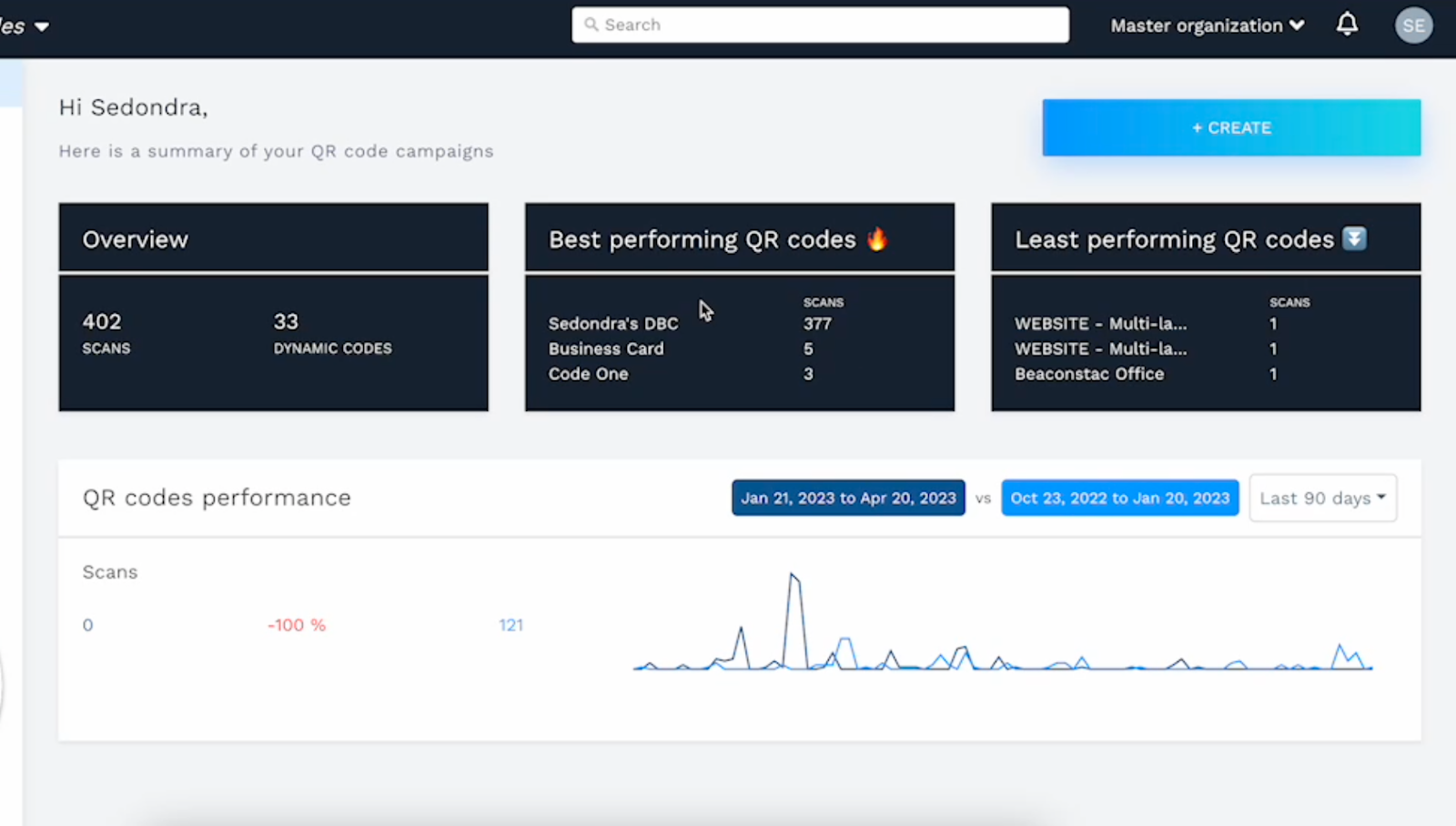
Uniqode provides tracking capabilities for its users, offering detailed insights into how their QR codes are performing. You can monitor the number of scans, the time each scan occurs, the types of devices used for scanning, and even access timestamps and the geographic location of each scan.
However, Uniqode’s tracking data is only available for a 60-day period for the starter plan, after which the information is no longer accessible. You only get unlimited analytics with the custom enterprise-level plan. This limitation could be a significant drawback for users requiring long-term tracking.
Can you edit QR codes after publishing with Uniqode?
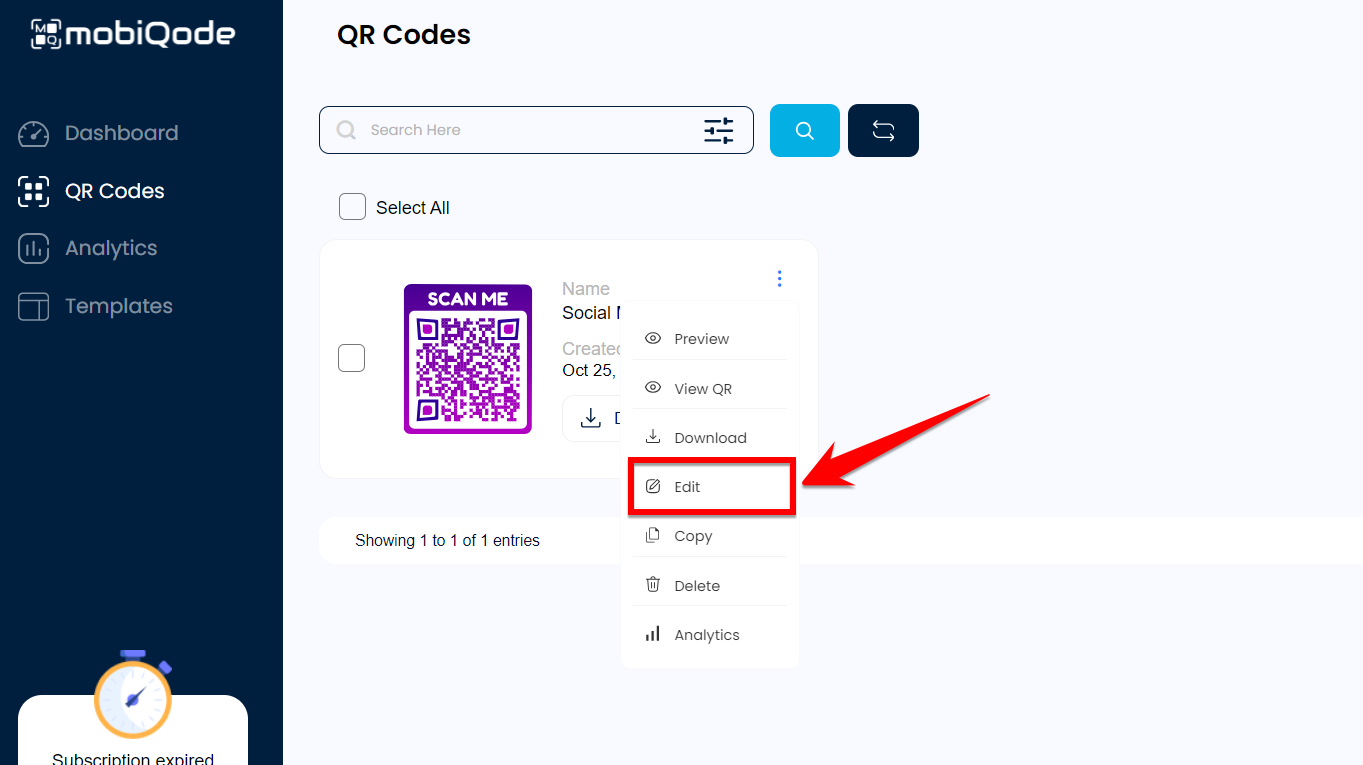
With Uniqode, you have full editing capabilities for dynamic QR codes. This means you can modify the content behind your QR codes, such as URLs or other linked information, even after they’ve been published or distributed.
Does Uniqode support custom domains?
Uniqode allows you to link your QR codes to a custom domain, which enhances your brand’s visibility and credibility. By using a branded domain for your QR codes, you provide a more professional experience for users scanning your codes. However, this feature is only available for the higher-priced plans.
Is Uniqode pricing reasonable?
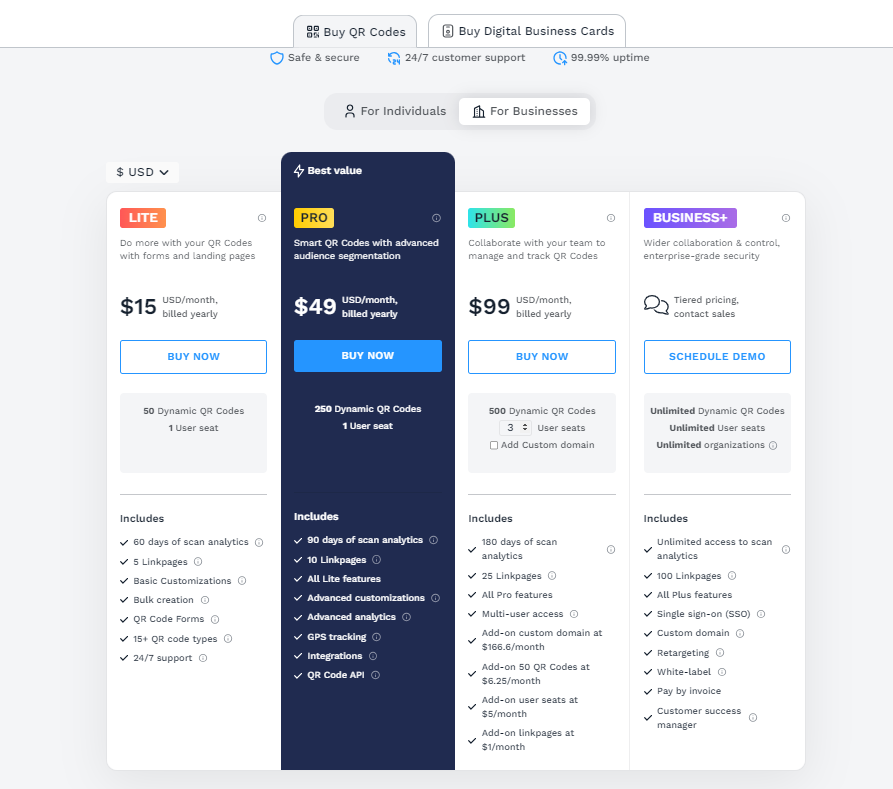
Uniqode has four pricing plans available. The starting plan is $15/month with a limit of 50 dynamic QR codes and a 500,000 annual scan limit. Uniqode doesn’t explicitly mention scan limits on its pricing page but each plan does come with an annual scan limit.

Uniqode vs mobiQode: Feature comparison
| Feature | Uniqode | mobiQode |
|---|---|---|
| Entry price | $15/mo (50 codes) | $5/mo (10 codes) / $10/mo (100 codes) |
| Analytics history | 60 days on starter plan | Unlimited — no time restriction |
| Custom domain | Higher plans only | All plans |
| Scan limits | Yes — not shown on pricing page | Clearly stated on all plans |
| Digital business cards | Separate pricing | ✓ Included on all plans |
| Bulk generation | ✓ | ✓ All plans |
| Dynamic QR editing | ✓ | ✓ |
| GDPR compliance | ✓ | ✓ |
| Custom templates | ✓ | ✓ |
| Custom business pages | ✗ | ✓ No external domain needed |
Uniqode vs mobiQode: Annual cost comparison
💰 Uniqode vs mobiQode — Annual Cost
Select your QR code volume to compare
Top Uniqode alternative: mobiQode
Uniqode is great but it does lack in some places. Here’s everything mobiQode has to offer:
Dynamic QR codes
With mobiQode, you can create dynamic QR codes that are fully editable. This means you can update the content or links behind the code at any time without the need to generate new codes. It’s perfect for situations where you need to change URLs or modify information regularly, saving you from having to reprint materials or redistribute codes.
Track analytics — with no time limits
mobiQode offers powerful tracking capabilities, allowing you to monitor how your QR codes are being used. And there are no time period restrictions — you can track performance for your QR codes for as long as they are live and as long as you have a subscription.
You can track the number of scans, the devices used, the time each scan occurred, and even the locations of the scans. This gives you a clear picture of your campaign’s performance and helps you make data-driven decisions.
Customizable QR codes
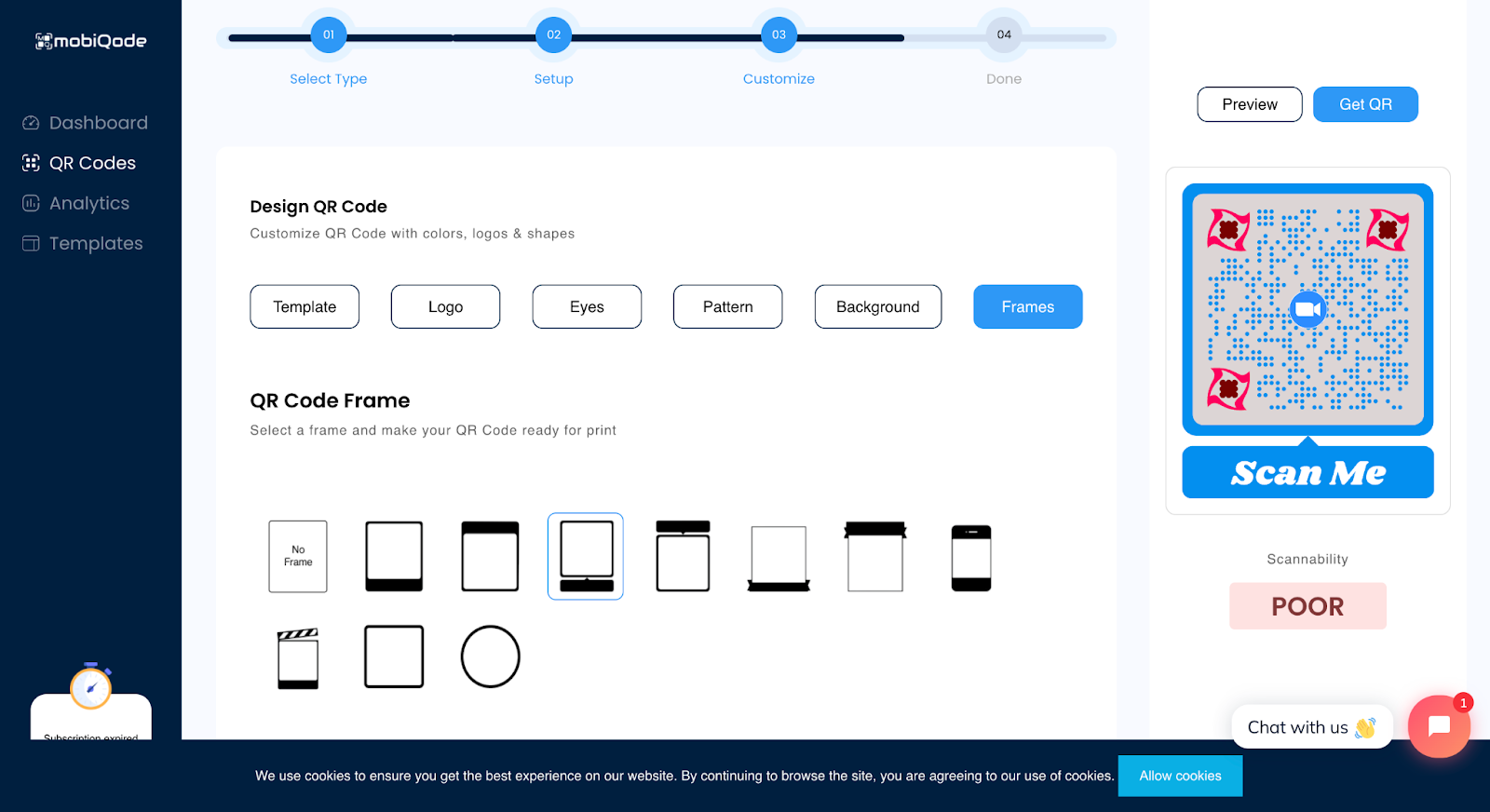
With mobiQode, you can easily customize the look of your QR codes to align with your branding. You can change colors, add your logo, and adjust the design to fit your brand’s identity. This level of customization makes your QR codes stand out and ensures they match the professional image of your business.
Create custom templates
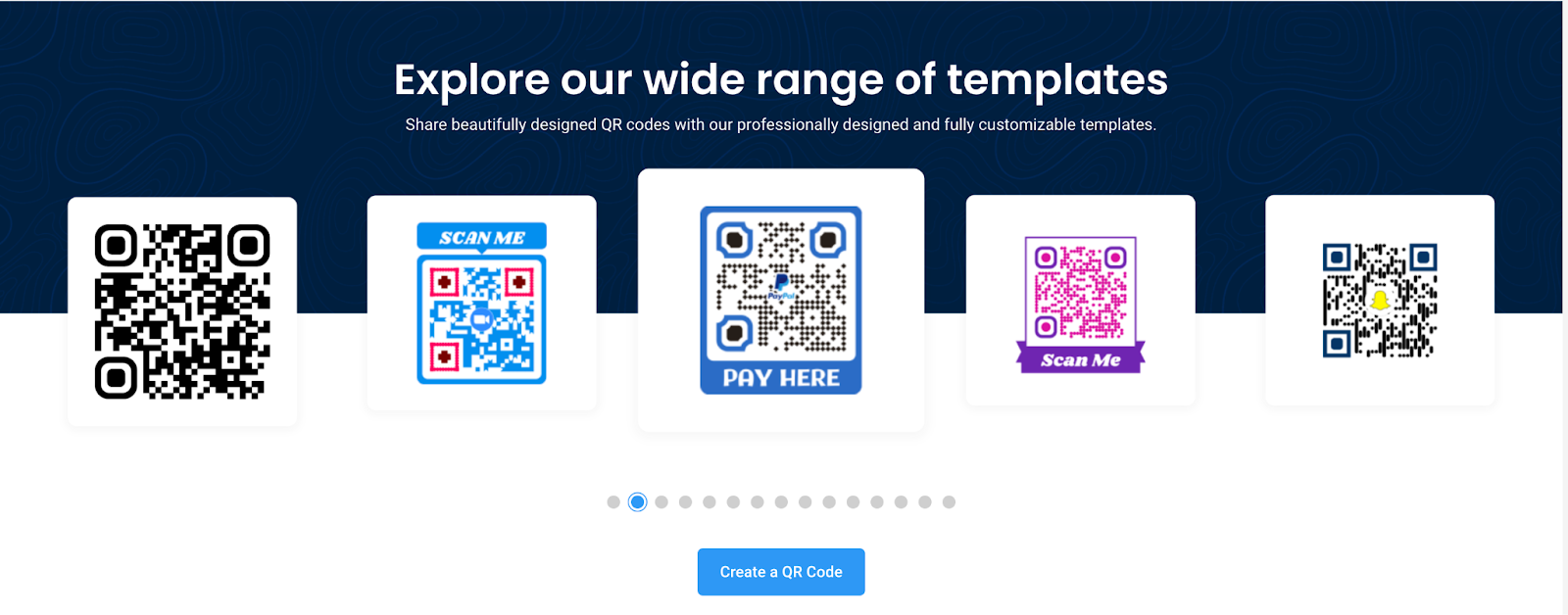
With mobiQode, you can easily create custom templates for your QR codes to streamline the design process. You can save your preferred styles, including color schemes, logos, and layouts, ensuring that every QR code you generate is consistent with your branding.
Custom business pages
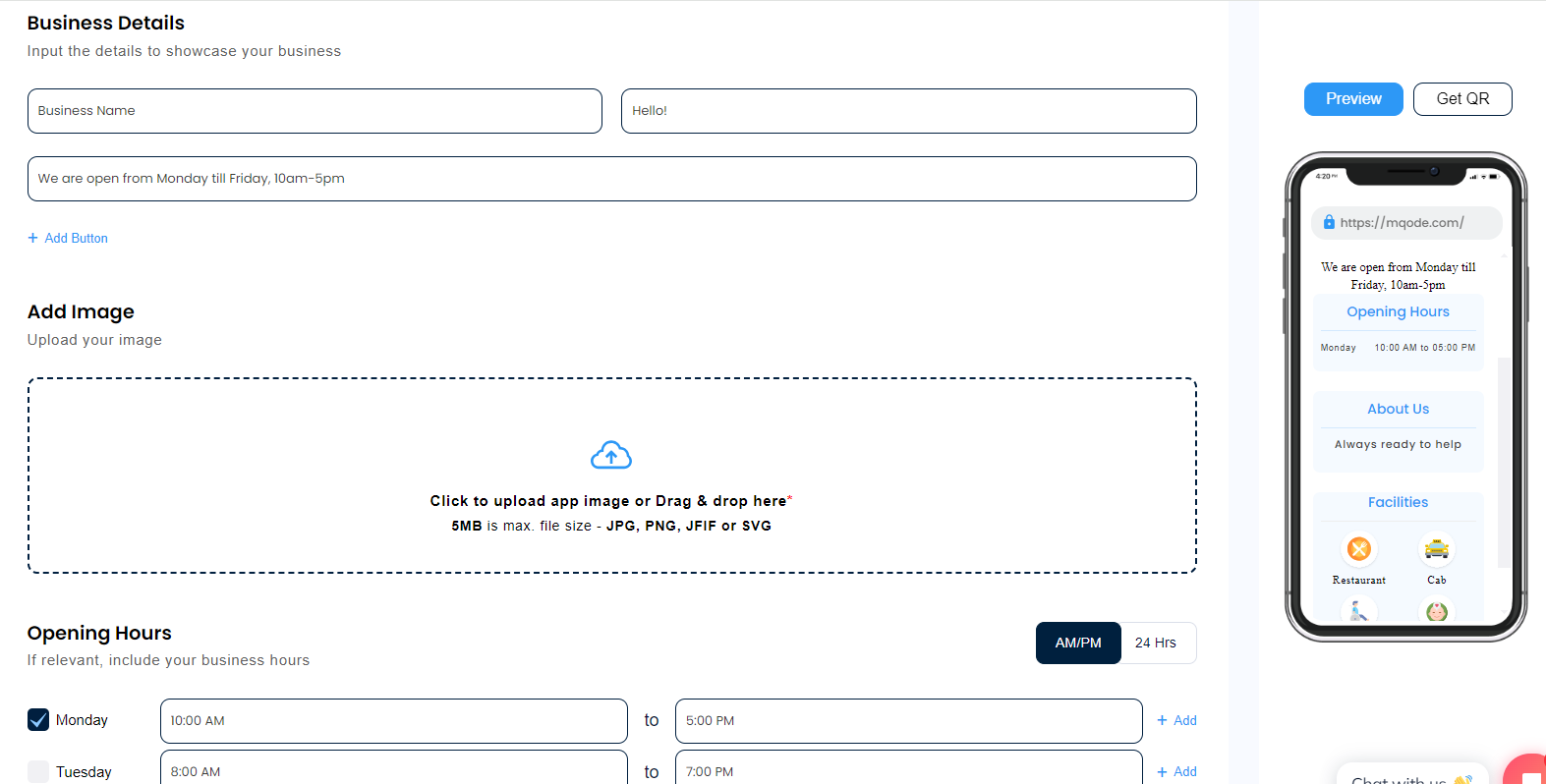
mobiQode also lets you link your QR codes to custom business pages created directly within the platform. These landing pages are easy to set up and require no additional domains, making it simple to provide more information or showcase products without the hassle of external website management.
Bulk QR code generation
If you need to create multiple QR codes at once, mobiQode has you covered with bulk QR code generation. This feature is ideal for businesses managing large inventories or running multiple campaigns, saving you time by allowing you to create numerous codes simultaneously.
High security
mobiQode prioritizes security with data encryption, ensuring that any information accessed through your QR codes is protected. This is particularly important for businesses dealing with sensitive customer data or financial transactions, providing peace of mind that your data is safe.
mobiQode pricing
mobiQode Pricing Plans
All plans include 14-day free trial
Mini
- 10 QR Codes
- 3 Digital Business Cards
- 50K annual scans
- Geo Location Tracking
- Analytics & Reports
- 5 CustomPages
Pro
- 100 QR Codes
- 10 Digital Business Cards
- 1M annual scans
- 20 CustomPages
- Geo Location Tracking
- Analytics & Reports
Enterprise
- 500 QR Codes
- 50 Digital Business Cards
- 5M annual scans
- 100 CustomPages
- QR Code Templates
- Geo Location Tracking
- Analytics & Reports
- Bulk Creation
- Password Protection
- Configurable URLs
mobiQode offers a free 14-day trial followed by affordable pricing plans. You’ll find the same number of features with every plan, the only difference is the number of supported QR codes and the scan limits (which are both much higher than other alternatives).
Sign up today and start generating your QR codes!
Frequently asked questions about Uniqode
Final verdict: Is Uniqode worth it in 2026?
Uniqode is a capable platform that works well for businesses that need dynamic QR codes with solid customization. But its pricing is hard to justify when analytics are time-limited on the starter plan, scan limits aren’t clearly communicated, and features like custom domains require expensive upgrades. For businesses that want comparable features with better transparency and lower cost, mobiQode is worth a serious look.
Switch from Uniqode to mobiQode — Save up to 67% Annually
Start Your Free 14-Day Trial →No credit card required · Plans from $5/mo · Unlimited analytics history
Sources
- https://www.uniqode.com/
- https://www.uniqode.com/pricing
- https://docs.uniqode.com/en/articles/9182987-is-there-a-scan-limit-on-my-qr-code
- https://www.uniqode.com/features

