

Create Image QR Codes with mobiQode
Start Free Trial →From sharing photos through memory cards to simply using a QR code, technological advancements have truly revolutionised accessibility. A simple scan, and an entire album can be shared without the hassle of memory limits or time-consuming transfers.
What makes it even better is its inclusivity — anyone can generate a QR code for photo sharing without technical expertise. QR codes provide a convenient way to share high-resolution photos without long, complicated URLs. Whether you want to enhance your marketing materials, send visually appealing event invitations to guests, or share your latest birthday pictures with your family, an image QR code can do it all.
What Are QR Codes?
A Quick Response code, or QR code, is a two-dimensional barcode with a pattern of black and white squares. It can encode different types of data, such as text, website links, contact information, and photos. Users generally require a smartphone to scan the code, which directs them to the specific link or folder the QR code is generated for. QR codes find applications in marketing, payments, contactless services, and information sharing.
How Can You Share Photos With QR Codes?
Typically, photo sharing requires either transfer through Bluetooth or via physical devices like a pen drive or hard disk. However, a convenient way is to share a clickable link to a collection of photos stored at a specific location. It can be accessed only by those who have the link, offering privacy. The process can also eliminate the storage requirement for each individual while offering ease of access anytime and anywhere.
To share photos with QR codes, they are generally uploaded to a platform. The associated QR code is generated and shared with participants. It can be scanned to access the photos or shared among other associated individuals. Businesses can also use QR codes for photo sharing on product packaging that links to high-resolution product photos, 360-degree views, and more.
How to Create an Image QR Code with a QR Code Generator
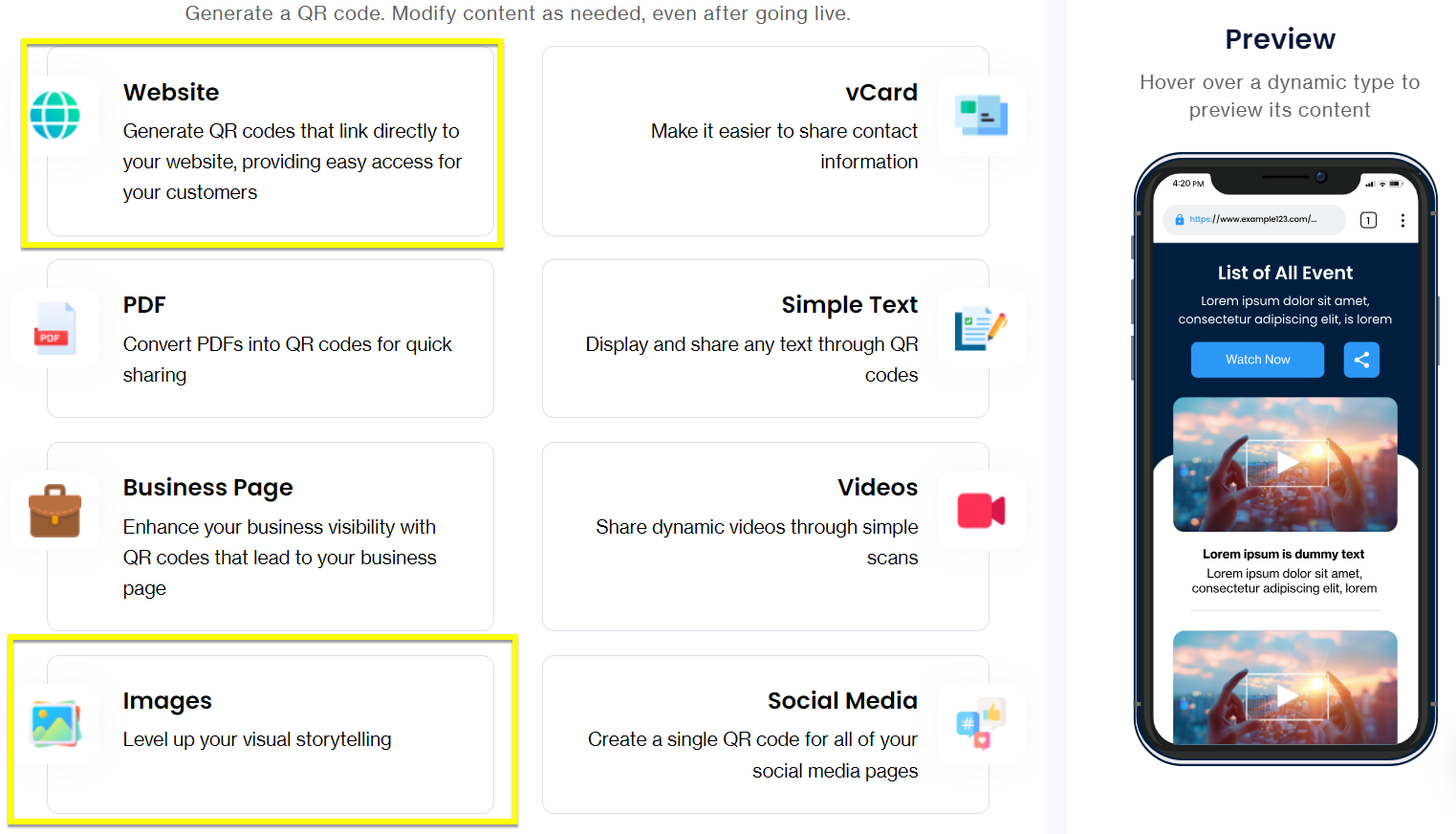
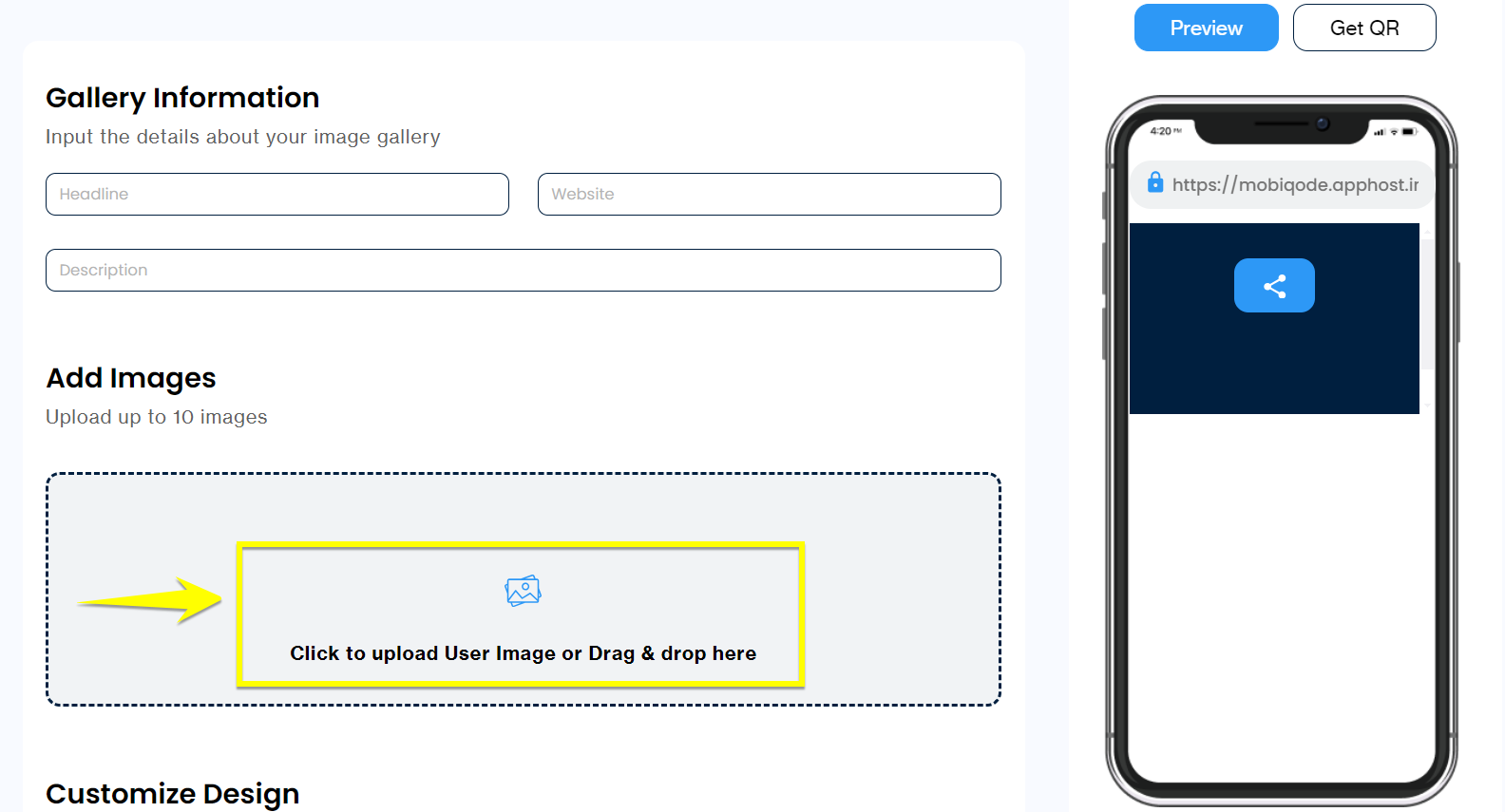
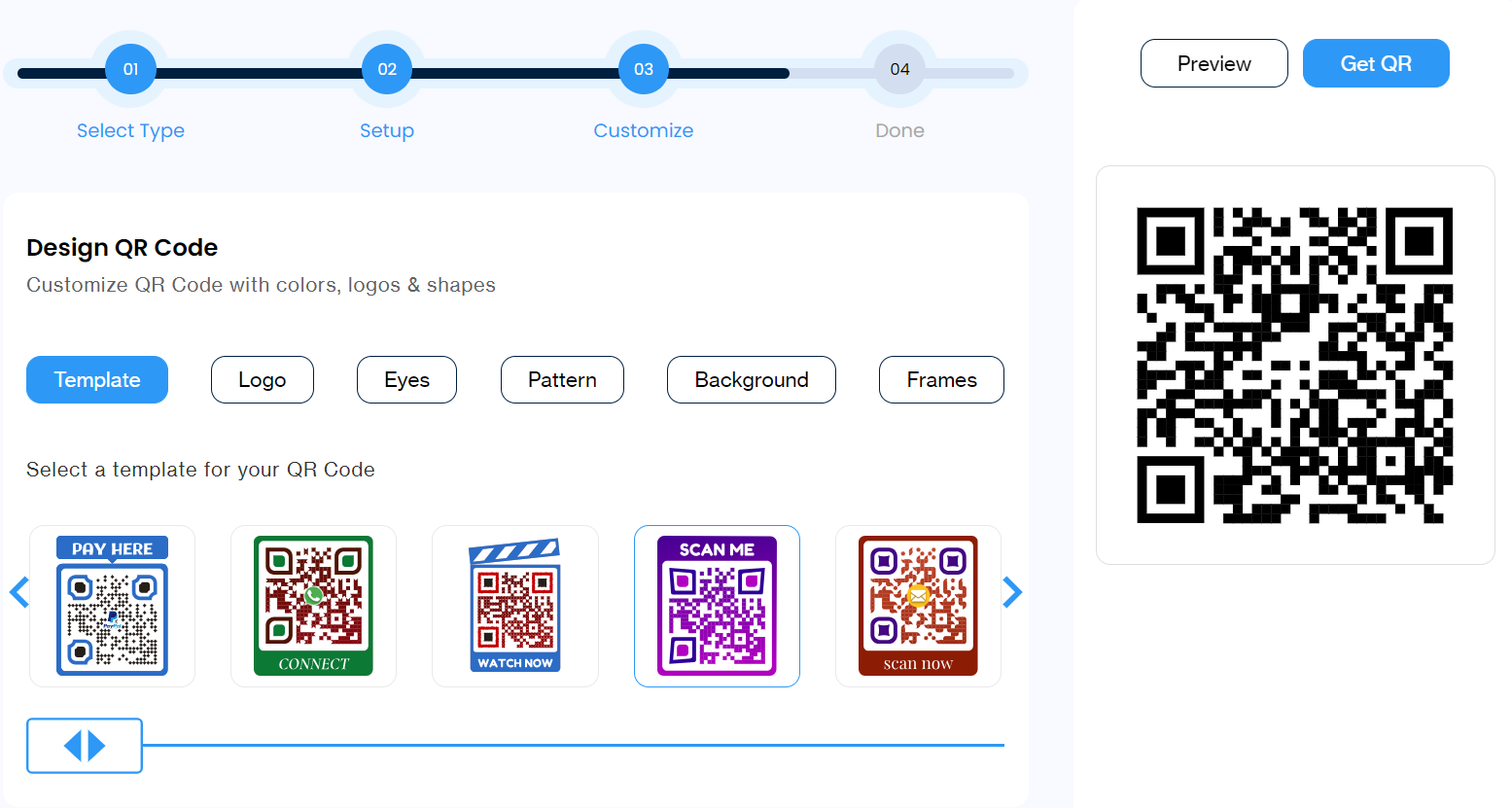
Here are the steps to create a QR code for photo sharing:
How to Access Photos Using a QR Code
Accessing the photos using the QR code is equally simple. Depending on how the QR code is presented or stored, follow the relevant action:
📱 Physical QR Code
Use the smartphone camera to scan the QR code on a printed invitation, product, or poster. You will be automatically redirected to the link or required to tap on it. The resultant page will allow access to the photos.
🖼️ Stored Image
Open the gallery or camera app and select the image containing a QR code. The link will appear to be clicked on, or you will be automatically redirected. Tap to access the pictures.
How Does a QR Code for Images Work?
Here’s a breakdown of how an image QR code functions:
- Generating an image QR code: Add the image folder link or upload images to the QR code generator. The generator creates a unique QR pattern that encodes the destination link.
- Scanning the QR code image: Using the camera or scanner app on your smartphone, point it at the QR code. It is decoded in seconds.
- Viewing the images: The QR code leads you to the online location where your photos are stored, ready to view, download, or share.
Who Can Share Photos Using QR Codes?
QR codes simplify photo sharing for both professionals and individuals. Here is who can benefit from them:
📷 Photographers
QR codes help photographers share their work instantly by linking clients to online galleries through business cards, resumes, or social media. Wedding photographers can use QR codes to allow clients to browse and select from numerous pictures easily. Professionals working in journalism or official events can offer access to pictures for higher authorities within a minimal duration.
🎪 Event Organisers
QR codes can be effectively used at events hosting thousands of guests while maintaining the privacy of participants. Professionals can use the code to share photos at conferences, trade shows, and other events. The codes can be placed on marketing materials, on boards, and other elements.
💼 Business Professionals
Business professionals can use QR codes to showcase samples or portfolios, developing two different codes — one shared for samples and another for paid customers only. These codes can also be used to shortlist images of products or samples based on preference for future reference or sharing.
Benefits of a QR Code for Pictures
Using QR codes for photo sharing offers several advantages over traditional sharing methods:
Convenience and Speed
QR codes direct to images, eliminating the hassle of texting links or emailing large files. Viewers can scan the code with their smartphones and instantly be directed to your photos, eliminating the need for manual input and saving time.
Bridging Offline and Online
QR codes fill the gap between digital and physical marketing channels. They can be printed on flyers, business cards, or even physical photo albums, allowing customers to easily access your online photo collections.
Cost-Effective
Creating QR codes for images is less expensive than setting up a website to share or print photos. They are a budget-friendly way to share several images with a wide audience.
Dynamic Updates
When you use dynamic QR codes for photo sharing, you can add new photos to the album even after the code has been printed or distributed. That means, even if you forget to add some pictures, you can go back and upload them later.
Different Ways to Use QR Codes for Image Sharing
QR codes for photo sharing work across a wide range of industries and contexts. Here are some of the most effective use cases:
Print Media
You can include a QR code next to a product image in magazines or brochures. Scanning the code takes users directly to a high-resolution version of the image they can download or zoom in on. You can also add a QR code to your business card that links to your online portfolio showcasing your work, especially for photographers, artists, or designers.

Physical Products
Add a QR code on product packaging to showcase high-resolution product photos or even behind-the-scenes content about the product’s creation. Users can also display QR codes next to artworks in galleries or museums to direct people to high-resolution images.

Real Estate
Real estate agents can place QR codes around the house in rooms or on specific features like a tabletop on the dining table. Scanning the QR code leads to a high-resolution image gallery of the room, a 360-degree virtual space tour, or even architectural plans.

Restaurant Menus
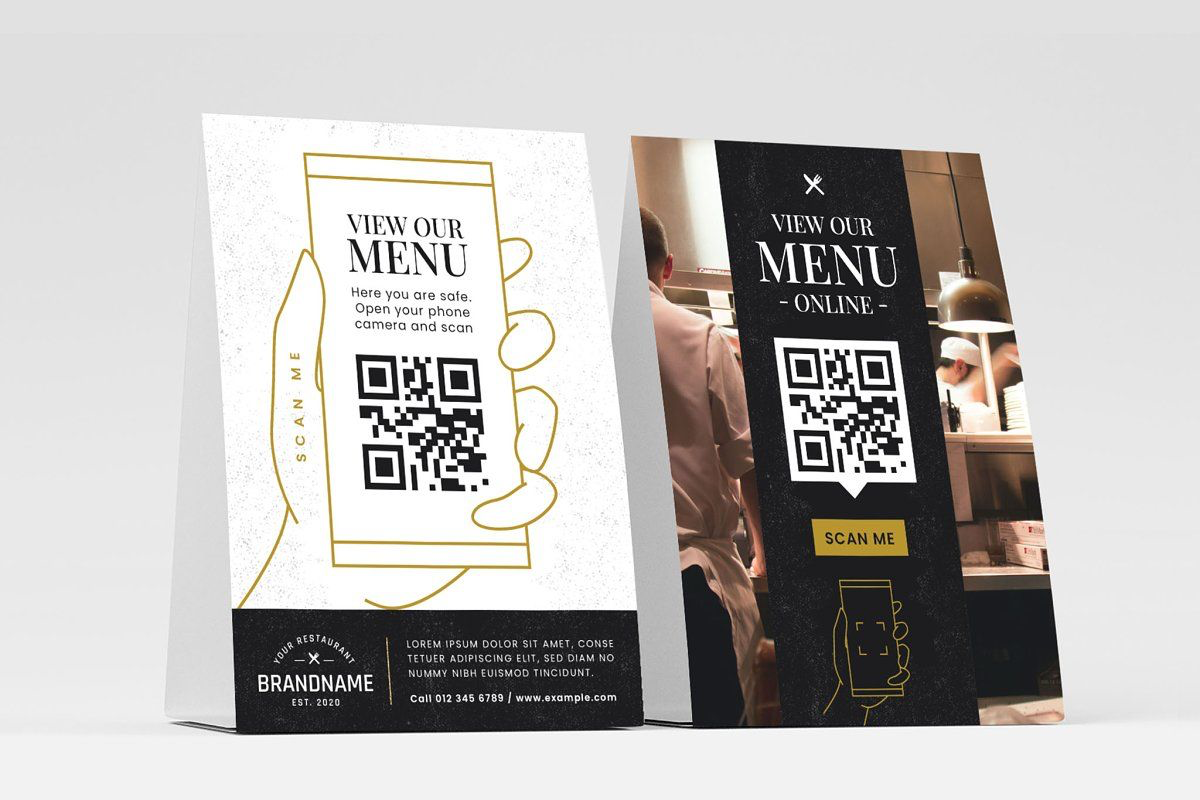
Restaurants can use QR codes to create a more enticing dining experience by including QR codes directly on menus that link to high-resolution food photos. This allows customers to get a better visual representation of the dishes, potentially influencing their order choices.
Personalized Keepsakes
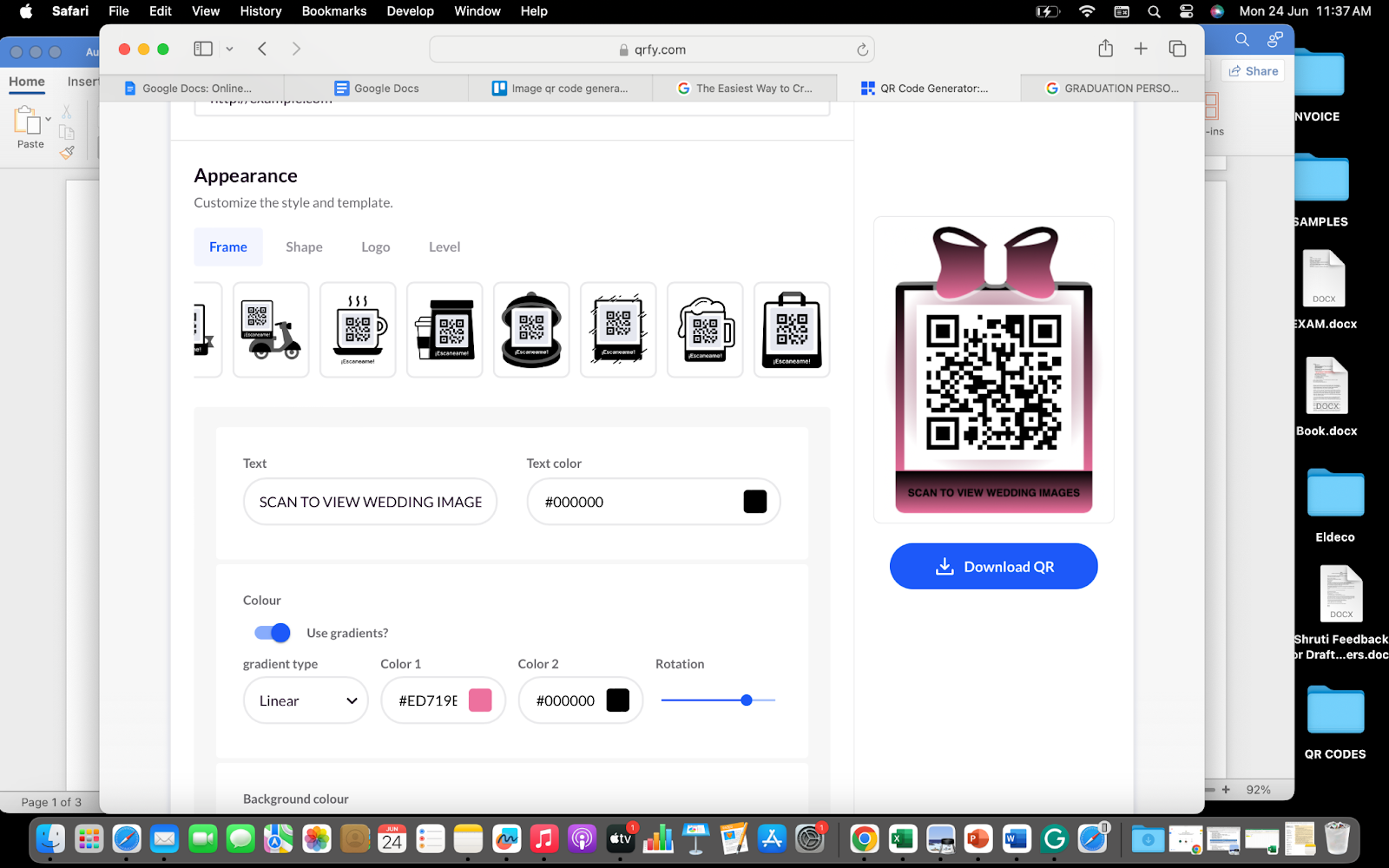
QR codes can be used to create unique and personalized keepsakes for special events such as weddings, graduation ceremonies, birthday parties, and more. You can print a QR code on wedding favors that links to a dedicated online gallery where guests can access and download high-resolution photos from the wedding, allowing them to relive the special day.
One can also circulate a QR code amongst friends and family, leading to a slideshow or online album filled with graduation photos.
Medical Imaging
QR codes can be integrated with patient reports, which display medical scans like X-rays or MRIs. This allows patients to access and share their medical information with specialists, leading to informed decisions from the patients and streamlined consultations for the business.
Home Decor
Integrate QR codes into furniture displays or a decor’s product packaging. Scanning the code could link to high-resolution images showcasing the furniture or decor in different room settings, allowing customers to visualize how pieces would fit in their own homes.
Travel Guides
Add QR codes on travel brochures, guides, or maps that link to a webpage featuring images of tourist attractions, 360° tours of landmarks, or even local event calendars with event images. This provides tourists with a more engaging experience while traveling.
Generate High-Resolution Image QR Codes with mobiQode
Our QR codes help you share your favorite photos with friends, families, and even customers who love your brand. With mobiQode, you can link your high-resolution images to a dynamic QR code that is editable and trackable — so your photo sharing stays current no matter when someone scans it.
Conclusion
QR codes are one of the best options to share memories, moments, and professional content easily. Allowing photo sharing with the simple requirement to scan the code, these can even be generated easily. The customisation option further leaves room for designing a unique QR code that is easily recognisable.
Using QR codes allows instant access to photo sharing without the requirement for everyone to deal with storage limitations on their devices. mobiQode invites you to try their free trial version to explore their offerings — evaluate the options, quality, and security, and develop unique and creative QR codes for your business.
Start Sharing Photos with QR Codes Today
Start Free Trial →14-Day Free Trial · Plans from $5/mo · No Credit Card Required
Frequently Asked Questions
Why use QR codes for sharing photos?
The use of QR codes for sharing photos makes the process quick, actionable, and error-free. It enhances security, eliminates storage limitations for recipients, can be used for tracking purposes, and bridges physical materials with digital photo galleries.
Can a QR code be used to share an existing photo album?
Yes, you can generate a QR code to share an online-stored existing photo album. Simply add the album link (from Google Drive, iCloud, or any cloud storage platform) to the QR code generator and your existing album becomes instantly scannable.
How should I select the QR code generator for photo sharing?
The choice of QR code generator must be based on factors like the ability to generate both dynamic and static codes, allowing customisation, offering templates, supporting high-resolution exports, and allowing QR code generation for different types of content including images.
Is there a free trial available for QR code generation?
Yes, mobiQode offers a free trial to generate a QR code for sharing photos or any other form of content. The trial gives you access to the full feature set so you can evaluate the options, quality, and security before committing.
QR codes are the bridge between the physical and digital world. We’re making it simple for everyone to create, share, and connect.
— Ankita Saraswat, Founder of mobiQode
Ready to Create Your QR Code?
Choose from our suite of specialized QR code generators

