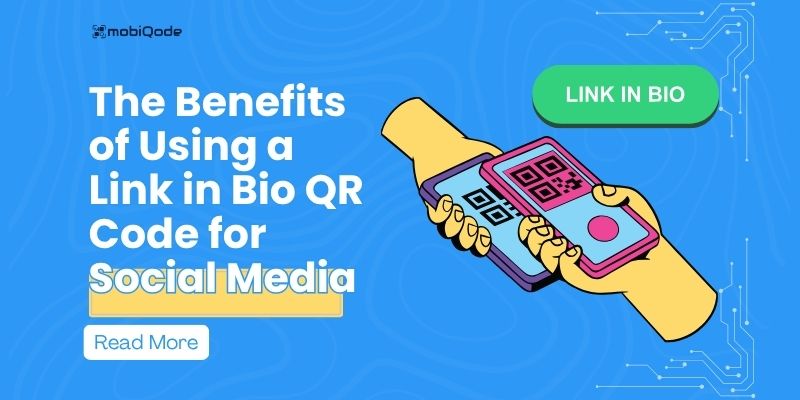
Getting your most important links in front of customers can be tricky—especially on platforms like Instagram or TikTok, where you’re limited to one bio link. A link in bio QR code brings all your links together on one page, accessible with a single scan. This guide explains how it works, how small businesses can use it, and how to set one up with mobiQode.
What is a link in bio QR code?
A link in bio QR code refers to the clickable link found in social media profile bios. This is especially helpful on platforms like Instagram and TikTok, where you’re only allowed one clickable link. With this QR code, you don’t need to constantly switch out that single link—you send followers to a hub that includes everything from product pages to booking forms.
For small businesses managing content across platforms, it saves time by putting all key links in one place. When someone scans the code, they land on a simple page displaying your most important updates and offers. Using a QR code landing page keeps everything organized and easy to access—without needing to redesign or reprint the code every time you make a change.
Why businesses should use link in bio QR codes
Centralized access through a single scan
A link in bio QR code connects users to a mobile-friendly page where all your key links live—contact forms, menus, social profiles, and more. It’s easier than updating bios across platforms and more effective than printing multiple URLs.
Better results from print materials
Adding a QR code to flyers, posters, or packaging can drive real action. When scanned, it directs users to explore more options at once, helping increase conversions. With a multi URL QR code, you can tailor different landing experiences based on user location, time, or device.
Trackable and easy to update
You can track scan data, clicks, and traffic sources. This helps refine your campaigns over time. A dynamic QR code lets you update the destination links without printing a new code, saving both time and cost.
Works across all marketing channels
From print ads to digital menus, one QR code works everywhere. Using a link QR code generator, small businesses can quickly set up and manage codes that fit into all types of campaigns—social, print, or in-store.
Create Your Link in Bio QR Code — Free for 14 Days
Start Free Trial →Use cases for link in bio QR codes
eCommerce
Online stores can use a link in bio QR code to share limited-time deals, product categories, or seasonal collections. Instead of sending users to a homepage, the QR code leads directly to a curated page with multiple shopping links, helping reduce steps between interest and purchase.
Events
For event organizers, this QR code can include registration forms, schedules, speaker bios, or venue maps. Whether placed on tickets, banners, or invites, it offers attendees quick access to everything they need without relying on a long website URL.
Restaurants
Menus, reservation systems, and feedback forms can all be accessed through a single scan at the table or front door. A link in bio QR code can also include links to delivery apps or promotional offers, making it easier for diners to take action on the spot.
Creators and influencers
Social media creators can connect followers to platforms like YouTube, podcast episodes, affiliate links, or merch stores. It’s a flexible way to keep everything in one place and make full use of the one-link rule across platforms like Instagram and TikTok.
How to set up a link in bio QR code with mobiQode
mobiQode combines a multi-link landing page builder and QR code generator in one tool, making it ideal for small businesses that want to create and manage a link in bio QR code without switching between platforms.
Step 1: Go to the custom page section
Log in to mobiQode and open the custom page builder where you’ll set up the landing page.

Step 2: Choose a template or build from scratch
Use the drag-and-drop editor to design your page. Start with a template or create your own layout.

Step 3: Add your links and content
Embed URLs along with headers, videos, buttons, social links, Google Maps, or text. Everything appears on one scrollable page.

Step 4: Upload files like PDFs
With mobiQode’s PDF upload feature, you can attach menus, brochures, or forms directly to the page.

Step 5: Customize the QR code
Change colors, add your logo, and choose a frame that matches your brand.

Step 6: Track scans and clicks
mobiQode’s analytics dashboard shows scan counts, locations, and user actions—useful for improving what you link to.
Step 7: Test before using
Scan the code to confirm it works and all links load correctly.
mobiQode — All Your Links, One QR Code
Start Free Trial →Start connecting all your links with one scan
A link in bio QR code gives small businesses a simple way to connect customers to multiple links from a single scan—perfect for platforms like Instagram or TikTok. Add menus, booking links, or social profiles to one scrollable page, and even upload files using the PDF QR code generator. Built-in tracking from dynamic QR codes shows what users engage with most.
Sign up for a 14-day free trial of mobiQode to create your custom QR code landing page—no credit card needed.
QR codes are the bridge between the physical and digital world. We’re making it simple for everyone to create, share, and connect.
Founder, mobiQode
Create Your Link in Bio QR Code Today
Start Free Trial →14-Day Free Trial · Plans from $5/mo · No Credit Card Required