Digital Business Card Generator by mobiQode
Create, share, and track professional digital business cards instantly
Digital Business Card
Create branded, contactless cards with one-tap sharing
vCard QR Code
Share contact details via scannable QR codes
Social Media QR
Link all your social profiles in one scannable code
Website QR Code
Drive traffic to your site with a single scan
Business Page
Build a complete business landing page with QR access
Custom Landing Page
Design branded pages linked to dynamic QR codes
Traditional business cards are fast-fading. Professionals today are always on the go with short attention windows, and they need a faster, smarter way to share their details. That’s where digital business cards come in—sleek, contactless, and designed for a world where meetings happen both online and in person.
Instead of handing out a stack of printed cards, you can give people a single link or QR code business card that instantly connects them to your website, contact information, and social media profiles. Let’s walk through how you can make a digital business card that’s built just for you and your business.
What is a digital business card?
A digital business card is an online version of your traditional paper card—but far more durable and always accessible. It holds all of your contact information: your name, job title, phone number, email address, company details, social media links, and more.
Here’s how it works:
- You create your card online using a digital business card generator like mobiQode
- You get a unique shareable link and a QR code
- Anyone can view your information instantly by scanning the QR code or clicking the link
With mobiQode, every digital business card comes with a custom landing page that’s fully customizable and connected to dynamic QR codes—so your card is always up to date and trackable in real-time.
How digital business cards work
A digital business card works by linking your professional details to a secure online page. This page can be accessed instantly through a QR code or a shareable link.
When you create your card on a platform like mobiQode, it automatically generates:
- A dynamic landing page with your name, title, company details, and contact information
- A QR code for your business card that connects directly to this page
Here’s what happens when someone interacts with your card:
- They scan your QR code or click your link, and your digital card opens instantly on their phone or browser—no app download required
- With one tap, they can save your contact details directly to their phone
- With mobiQode, they can also send their own details back through a built-in lead capture form
Create Your Digital Business Card — Free for 14 Days
Start Free Trial →Why switch to digital business cards?
Professional first impression
Digital cards make you look modern, tech-savvy, and prepared. Add clickable links, your company logo, and brand colors to make every interaction count. For example, a marketing consultant can share a branded card at events that links clients directly to their LinkedIn or portfolio.
Instant sharing anywhere
Share your card via text, email, or social media in seconds. Whether you’re in a face-to-face meeting or on a video call, your information is always just a scan or click away. During a Zoom call, simply drop your digital card link in the chat—no need to spell out your email.
Contactless and sustainable
Contactless business cards eliminate paper waste entirely, making them an eco-friendly alternative that’s also more convenient. A sales professional can share their card at expos and conferences without lugging around stacks of printed cards.
Always up to date
Changed your role, phone number, or company website? Update your digital card once, and the changes reflect instantly for everyone. No reprinting, no redistribution.
Two-way networking with lead capture
With mobiQode, your card doesn’t just share your info—it collects it too. A built-in lead capture form turns every card scan into a potential business opportunity. A real estate agent, for example, can collect buyer leads through quick forms directly on their digital card.
How to create a digital business card using mobiQode
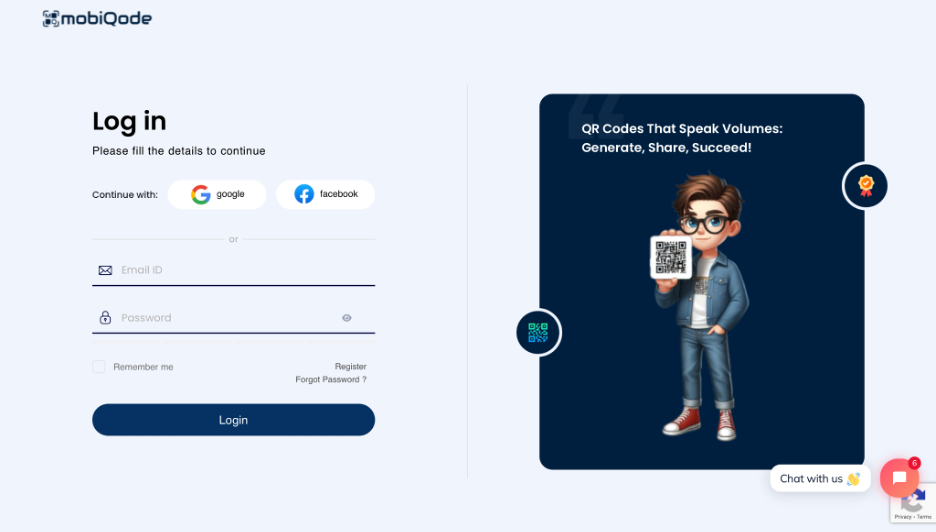
Step 1: Sign up
Create a new account or log in to mobiQode. The signup is free and takes under a minute.
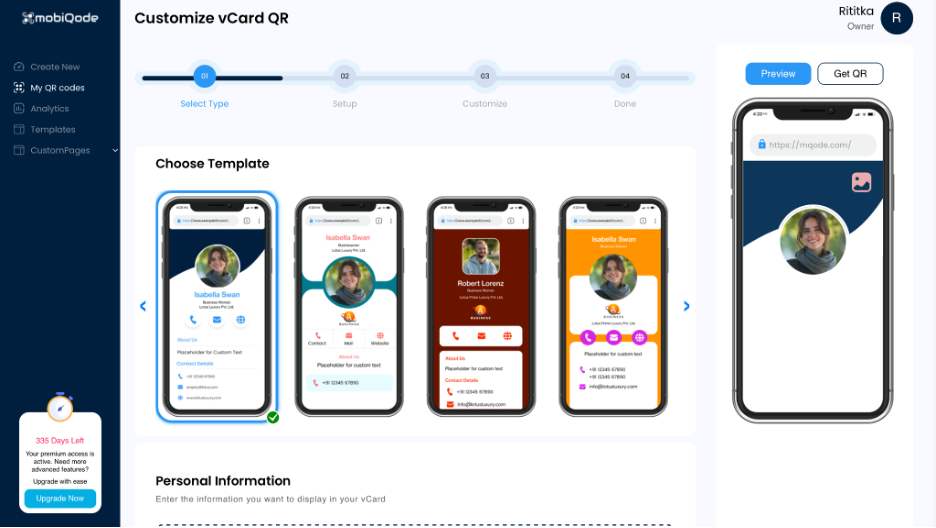
Step 2: Create a new digital card
Choose from a pre-made template or start from scratch to build your own digital business card.
Step 3: Add your information
Enter your personal and professional details: name, job title, phone number, email address, website, social media links, and company logo.
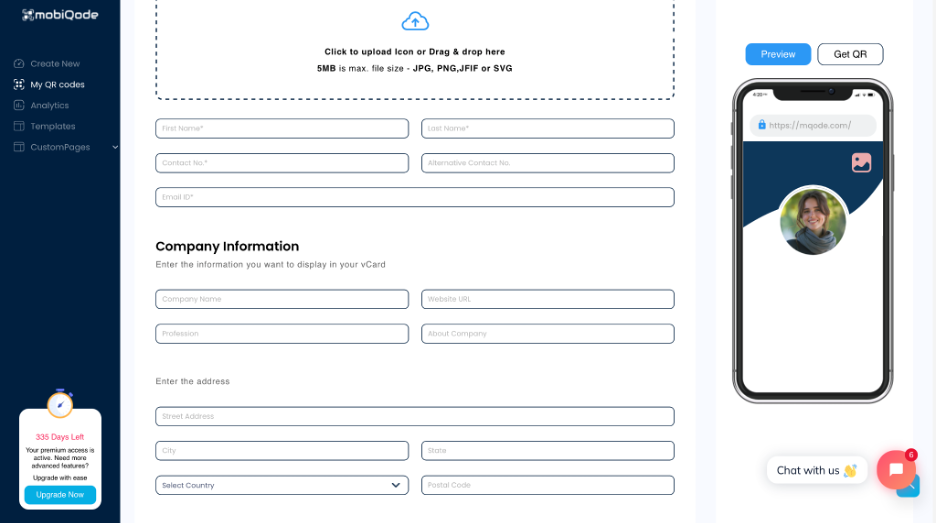
Step 4: Customize your landing page
Adjust colors, layout, and CTAs on your card’s landing page. You can also add custom form fields to capture client information.
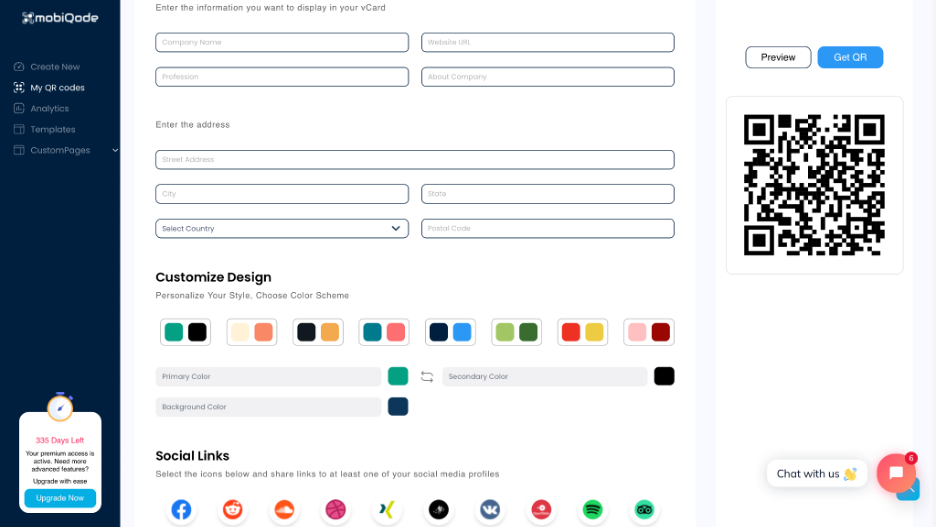
Step 5: Generate your QR code
mobiQode automatically generates a dynamic QR code linked to your digital card. You can edit the card anytime without reprinting or redistributing the QR code.
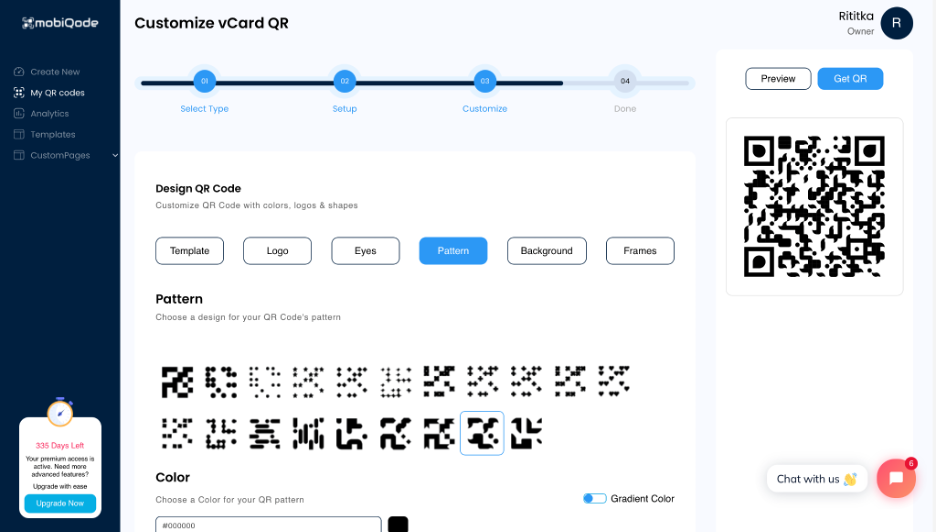
Step 6: Download, share, or print
Your card is ready. Share it via email, text, LinkedIn, or print the QR code on marketing materials, lanyards, or office signage.
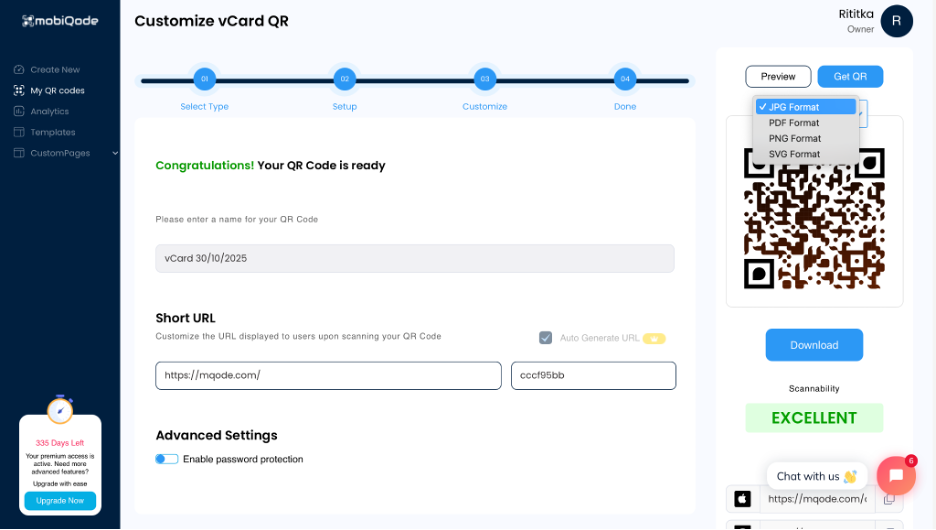
Step 7: Track engagement
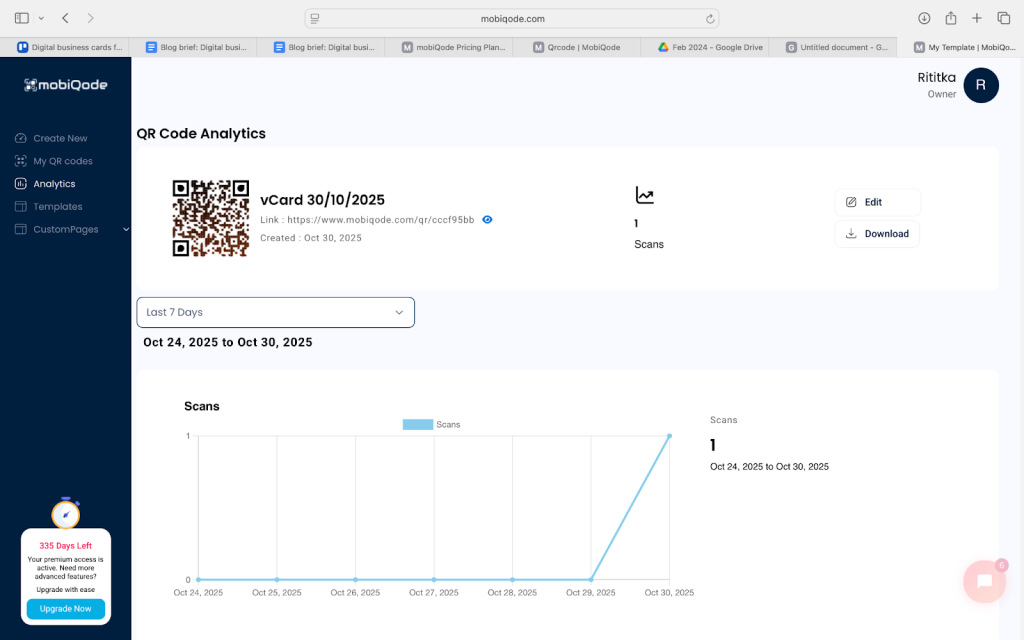
View real-time analytics to see who scans your card, when they scan it, and where they’re located.
Step 8: Recipients interact with your card
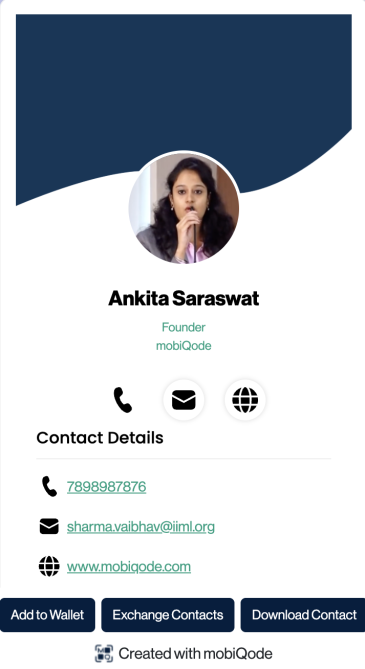
After scanning the QR code, your digital business card opens instantly. Recipients can download your contact details with one tap, add the card to their Apple Wallet or Google Wallet, and use the “Exchange Contacts” option to share their own details back with you. All exchanged contacts appear in your mobiQode Contact Manager.
mobiQode — Digital Business Cards in Minutes
Start Free Trial →What makes mobiQode different?
Interactive landing page
Every mobiQode digital business card comes with a fully interactive and customizable landing page. Your card can include clickable links that lead clients directly to WhatsApp, WeChat, YouTube, or any other communication platform—making it more than just a contact card.
Dynamic QR codes that never expire
mobiQode’s dynamic QR codes make it easy to keep your information current even when your job or business changes. Update the linked content anytime without changing the QR code itself. The base plan starts at $5/month with 5 dynamic QR codes and 2 custom pages. The $10/month plan supports up to 500 QR codes and 250 custom pages for teams and small businesses.
Built-in lead capture
Every mobiQode card includes a lead capture form that appears when someone scans your QR code. Potential clients can quickly share their contact information, turning every interaction into a networking opportunity.
Advanced analytics
mobiQode’s real-time analytics dashboard gives you detailed insight into every scan and interaction. Track who scanned your card, their device (Android or iOS), location, whether it was a repeat scan, and how often your card is opened.
Affordable and transparent pricing
mobiQode offers transparent, low-cost pricing that starts with a 14-day free trial—no credit card required. The trial includes 5 QR codes and 5 custom pages. Paid plans range from $5/month to $50/month and include enterprise-level features: up to 5,000 QR codes, 1,000 custom pages, 5,000,0000 scans/year, bulk creation, password protection, and more—all at a fraction of what competitors charge.
Scalable for teams and businesses
Create and manage up to 10,000 digital business cards from one central dashboard. mobiQode is built for marketers, agencies, and businesses that need to deploy cards across multiple departments, teams, or franchise locations.
100% ad-free experience
Unlike many competitors, mobiQode ensures there are no ads on your digital card—even on the free plan. Your professional identity stays clean, trustworthy, and free of distractions.
Upgrade your networking with mobiQode
Digital business cards are the future of professional networking—smart, sustainable, and effortless to share. Whether you’re meeting clients in person or connecting online, they ensure you leave a lasting impression every time.
With mobiQode, you can create a professional digital business card in minutes—complete with branding, analytics, lead capture, and dynamic sharing options that evolve with your business.
Start building your digital business card today and experience the new-age, paperless way to network.
Your business card should work as hard as you do. With digital cards, every scan is a chance to connect, capture leads, and grow your network.
Founder, mobiQode
Create Your Professional Digital Business Card Today
Start Free Trial →14-Day Free Trial · Plans from $5/mo · No Credit Card Required